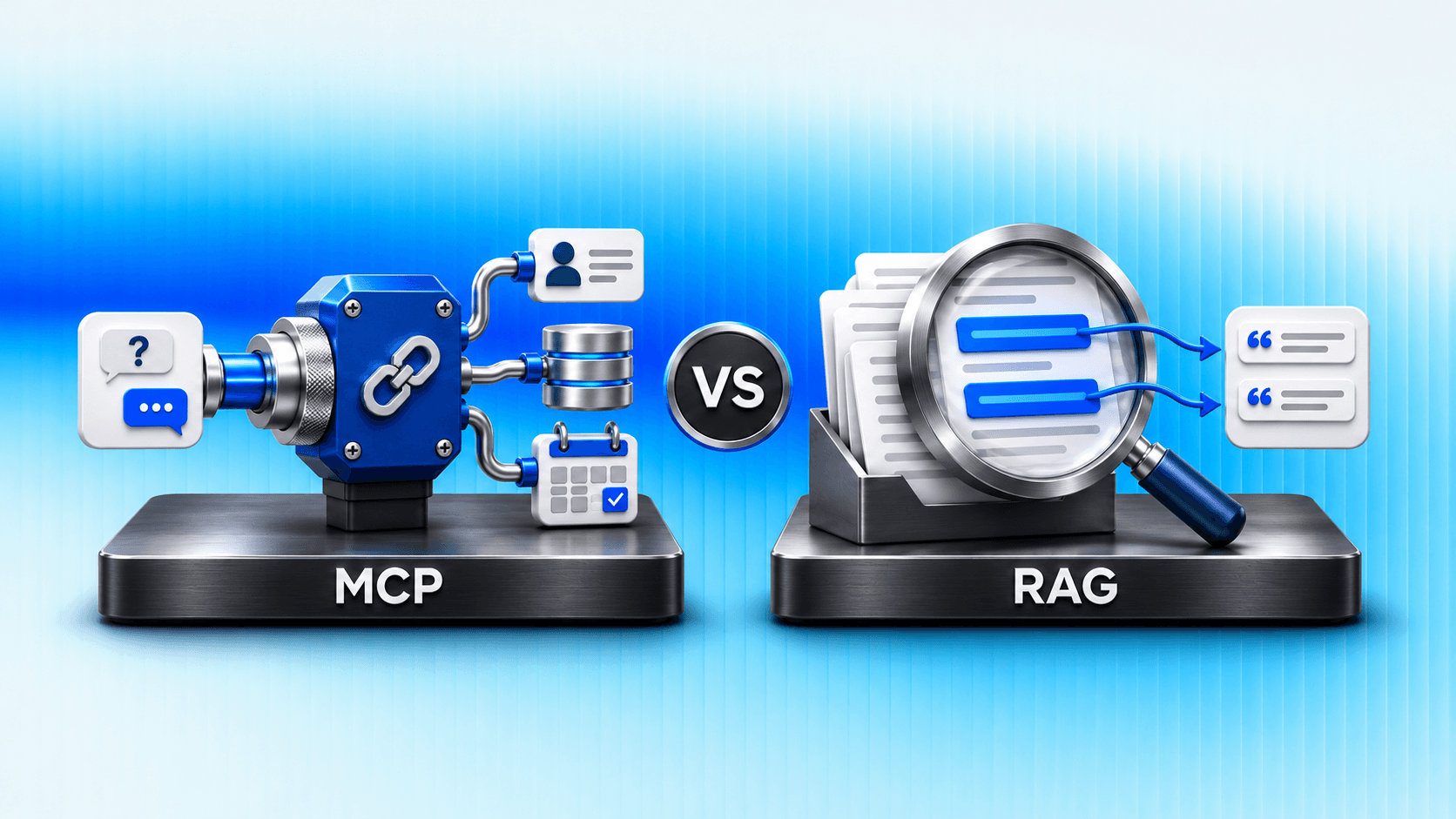
MCP vs RAG comes down to where your answers live. RAG wins for searching large document libraries cheaply, while MCP wins for live records and actions inside business systems. Many production assistants end up running both.
A sales manager asks the company assistant whether a key account renewed this morning. It replies with a pricing summary pulled from a PDF indexed three weeks ago. That gap sits at the center of the MCP vs RAG decision for enterprise AI teams. Meanwhile, the Model Context Protocol reached 97 million monthly SDK downloads and 10,000 active servers within a year of launch.
RAG, short for retrieval-augmented generation, searches an indexed document library and hands the best passages to the model before it answers. MCP is an open standard that lets AI applications call live tools, databases, and APIs through reusable servers. Both promise better AI data access, so the real question is which one fits the answers your team needs.
How Do We Compare MCP and RAG?
How MCP Servers Expose Business Systems
The simplest answer to what MCP is in practice is a three-part setup working together. The host is the AI application, the client manages each connection, and MCP servers wrap one system such as Salesforce, Postgres, or Jira. Each server publishes tools the model can invoke, resources it can read, and prompt templates users can trigger. Because the protocol is shared, one CRM server can serve Claude, ChatGPT, and Cursor without separate integrations.
How a RAG Pipeline Finds the Right Passage
The pattern traces back to a 2020 paper by Facebook AI Research and university collaborators, and the core pipeline has changed little since. Documents are split into chunks, converted into embeddings, and stored in an index built for similarity search. At question time, the system pulls the nearest chunks by meaning and inserts them into the prompt. Many teams add keyword search such as BM25, so exact part numbers and error codes still match.
The table below summarizes the model context protocol vs RAG verdicts before the detailed arguments.
| Criterion | MCP | RAG | Verdict |
|---|---|---|---|
| Live data and freshness | Queries the source on request | Snapshot from last index run | MCP leads |
| Large document libraries | Limited to server search | Built for semantic retrieval | RAG leads |
| Actions and tool calling | Reads and writes through tools | Read-only by design | MCP leads |
| Security and permissions | Scoped tokens, approval gates | Index filters, partitioning | Toss-up, different risks |
| Cost and latency at scale | Token overhead per call | Cheap reads once indexed | RAG leads |
| Setup and upkeep | Reusable prebuilt servers | Ingestion pipeline to run | Toss-up, depends on APIs |
Which Gives AI Agents Fresher Live Data, MCP or RAG?
MCP leads the MCP vs RAG comparison on freshness because it queries the source system at the moment a question arrives. A RAG answer can only be as current as its last ingestion run, and managed vector stores add their own delay. Pinecone’s documentation describes its indexes as eventually consistent, so new writes may not appear in queries immediately. For inventory counts, ticket status, or account balances, that lag changes the answer.
MCP on Live Data
Consider a distributor whose agent checks stock before confirming a quote. Through a Postgres MCP server, the model calls get_inventory with the SKU and reads the row as it exists right now. No sync job sits between the warehouse table and the response. For logistics and distribution teams, that matters because a promised ship date often depends on a count that changed minutes ago.
RAG on Live Data
RAG freshness depends entirely on how often changed content gets re-embedded and re-indexed. Many teams run a scheduled job like the one below, which suits manuals and policies far better than order status.
# Re-embed documents changed in the last 24 hours, nightly at 2 a.m.
0 2 * * * python reindex.py --source sharepoint --changed-since 24h
Between runs, the assistant answers from yesterday’s snapshot, even when the source has already changed. Event-driven ingestion shortens that window, although it adds pipeline complexity your team must monitor.
Which Handles Retrieval Across Large Document Libraries Better?
The MCP vs RAG verdict flips when answers sit in contracts, SOPs, manuals, and support articles, where RAG leads. Semantic retrieval finds the right paragraph even when a user phrases the question differently from the source text. Accuracy also responds well to tuning, since Anthropic’s contextual retrieval research cut failed retrievals by 49%, and by 67% with reranking. The same research notes that libraries under roughly 500 pages can skip retrieval entirely.
MCP on Large Document Libraries
The reference MCP filesystem server exposes tools such as read_file and search_files, which match names and paths rather than meaning. Ask it which supplier contract covers late-delivery penalties, and the model must guess filenames or open documents one at a time. Each opened file consumes context tokens. Teams needing meaning-based search across thousands of PDFs usually end up building a retrieval index and exposing it as a tool.
RAG on Large Document Libraries
Document-heavy use cases explain why retrieval spread so quickly through enterprise stacks. Menlo Ventures’ survey of 600 enterprise IT leaders found RAG adoption rose from 31% to 51% between 2023 and 2024. That growth reflects a practical fit, because most company knowledge still lives in wikis, shared drives, and ticket histories. Retrieval turns those scattered files into answers with citations a reviewer can check against the original page.
Which One Lets AI Take Action Through Tool Calling?
MCP leads here by design, because tool calling is the core of the protocol. The MCP tools specification defines how models query databases, call APIs, and run operations. It also recommends confirmation prompts so a human stays in the loop. RAG has no equivalent, since retrieval only adds text to a prompt. If an assistant must update, create, or send something, MCP is the relevant layer.
MCP on Tool Calling
When a support agent decides to open a ticket, the MCP client sends a structured request like this one to the server.
{
  "jsonrpc": "2.0",
  "id": 7,
  "method": "tools/call",
  "params": {
    "name": "create_ticket",
    "arguments": { "account_id": "A-2207", "priority": "high", "summary": "Late shipment" }
  }
}
The server validates inputs, runs the write, and returns a result the model can confirm to the user. Approval gates can sit in front of any write, so risky actions still pause for review. That pattern underpins most AI agents built for operational work today.
RAG on Tool Calling
A RAG assistant can explain your return policy perfectly and still leave the customer waiting. It can tell a rep that orders under 30 days qualify for a refund, yet it cannot issue the return authorization. Someone still has to switch screens and finish the job manually. The usual fix pairs retrieval with workflow automation that writes back to the system of record.
Where RAG Becomes an MCP Tool
The MCP vs RAG choice often dissolves at this point, because a retrieval index can sit behind an MCP server as one more tool.
{
  "name": "search_policies",
  "description": "Semantic search over HR and returns policies. Returns top passages with source links.",
  "inputSchema": {
    "type": "object",
    "properties": { "query": { "type": "string" } },
    "required": ["query"]
  }
}
The model then decides when to search documents and when to call live tools such as get_order_status. As a result, one server, one auth layer, and one audit log cover both paths. That design also keeps document access and live-system access under the same identity check.
How Do MCP and RAG Handle Security and Permissions?
Security is a genuine toss-up in the MCP vs RAG comparison, because each approach fails in a different place. RAG risks exposing indexed content to the wrong user, while MCP risks an agent acting with too much authority. The MCP security best practices explicitly forbid token passthrough, where a server forwards an unvalidated client token to downstream APIs. Both approaches need permissions designed before launch.
MCP on Security and Permissions
In May 2025, Invariant Labs showed how a malicious GitHub issue could hijack an agent connected to the official GitHub MCP server. The injected text told the agent to read private repositories and publish their contents in a public pull request. Nothing in the server itself malfunctioned. The agent simply held a token spanning public and private repos, so narrowly scoped credentials would have limited the damage considerably.
RAG on Security and Permissions
Retrieval risks earned their own entry in the OWASP Top 10 for LLM Applications 2025 as LLM08, covering vector and embedding weaknesses. The listed threats include unauthorized access, cross-tenant leakage in shared vector databases, embedding inversion, and poisoned documents carrying hidden instructions. OWASP recommends permission-aware vector stores, strict partitioning between user groups, and immutable retrieval logs. Without those controls, a well-tuned index can surface salary data to anyone who asks nicely.
Permissions When Both Share One Agent
When one agent uses RAG and MCP together, enforce permissions at the data layer instead of trusting the prompt. Row-level security in Postgres is one dependable pattern.
ALTER TABLE accounts ENABLE ROW LEVEL SECURITY;
CREATE POLICY rep_sees_own_accounts ON accounts
  USING (owner_id = current_setting('app.user_id')::int);
Apply the same user identity to retrieval filters, so documents and live records follow one access rule. That way, a clever prompt can never widen what the database itself refuses to return. Finally, log every tool call and every retrieved chunk for audit.
Need MCP servers and RAG working inside one governed stack?
Pinnasys builds the integrations, permissions, and audit trails your chosen path needs, so your agents reach production and stay there.
RAG vs MCP on Cost and Latency at Scale
RAG leads on cost once content is indexed, because each query is a fast lookup plus a modest prompt. Embeddings are cheap too, with OpenAI’s text-embedding-3-small priced at $0.02 per million tokens. MCP costs scale differently, since tool definitions and tool results consume context tokens on every call. Multi-step agent chains also add round trips, which raises latency.
MCP on Cost and Latency
Tool overhead adds up quickly when an agent connects to many MCP servers. In Anthropic’s engineering write-up on code execution with MCP, one Google Drive to Salesforce workflow consumed about 150,000 tokens through direct tool calls. When tools were presented as code APIs instead, usage fell to roughly 2,000 tokens, a 98.7% reduction. The fix works, although it requires a secure sandbox your team must run and monitor.
RAG on Cost and Latency
Consider a 10,000-document policy library averaging 2,000 tokens per document. At that rate, all 20 million tokens cost about $0.40 to embed, and re-embedding monthly barely moves the budget. The real spend sits in vector storage, ingestion pipelines, and the model tokens each retrieved chunk adds to the prompt. Query latency stays low, because a similarity lookup typically returns in milliseconds before generation starts.
MCP vs RAG Setup Effort and Integration Upkeep
This criterion is a toss-up that turns on whether your systems already expose clean APIs. MCP setup can be quick when a prebuilt server exists, while RAG needs an ingestion pipeline before the first useful answer. Index builds also vary widely across engines. Percona’s benchmark of six vector engines measured 1.9 minutes to 6.7 hours to index one million vectors, with pgvector near 41 minutes.
MCP on Setup and Upkeep
A prebuilt MCP server can connect in minutes, and this desktop config points an assistant at a read-only Postgres database.
{
  "mcpServers": {
    "crm-db": {
      "command": "npx",
      "args": ["-y", "@modelcontextprotocol/server-postgres", "postgresql://[email protected]/crm"]
    }
  }
}
Because MCP is a shared standard, that same server works across every compatible client you adopt later. Upkeep shifts to versioning servers, rotating credentials, and pruning tools the model no longer needs. Custom servers for legacy ERPs without clean APIs still take real engineering time.
RAG on Setup and Upkeep
A typical first build starts with choosing between a managed store and an extension inside your existing database. Teams already on Postgres often begin with pgvector, which keeps embeddings next to operational data and reuses existing backups and access controls. Our explainer on how vector databases work compares those options in more depth. Upkeep then centers on chunking rules, evaluation sets, and re-indexing whenever embedding models change.
Which Fits You: MCP or RAG?
Start with where the answers your team needs actually live. If they sit in documents, retrieval carries most of the load. If they sit in CRMs, ERPs, and ticketing tools, MCP does. Next, weigh team size and skills, since RAG rewards search tuning while MCP rewards API and security engineering. Then check budget shape, compliance load, and timeline, because an MCP vs RAG rollout under strict audit rules moves slower either way.
Choose MCP If
- Answers depend on live data such as inventory, balances, or ticket status.
- Your assistant must create, update, or send records, not just read them.
- Several AI applications need the same integrations, and one reusable server per system saves rebuilds.
- Your systems already expose APIs, so prebuilt or thin custom servers are realistic.
Choose RAG If
- Most answers live in manuals, contracts, policies, or support articles.
- Questions are open-ended and phrased unpredictably, so meaning-based search matters.
- Query volume is high and per-query cost needs to stay predictable.
- Your team can invest in tuning retrieval, the layer where many RAG pilots stall.
- Key content has no API, such as scanned PDFs and exported wikis.
When to Run Both
A genuine hybrid exists here, and it is common in production. Expose your retrieval index as one MCP tool beside live system tools. A single agent then answers policy questions and checks order status in one conversation.
The Bottom Line
The MCP vs RAG decision is less about picking a winner and more about matching each tool to where your answers live. RAG remains the cheaper, more accurate way to search large document libraries. MCP becomes the stronger choice once an assistant needs live records or must take action. As agents mature, many teams expose retrieval through MCP and run both behind one permission model.
Pinnasys helps teams execute whichever path fits, built around their data, compliance, and technical requirements. Still mapping which workflows need retrieval, live access, or both? Start with an AI consulting engagement that scopes the architecture before anyone writes code. A clear map now prevents expensive rebuilds later.
Key Takeaways from the Article
- MCP queries source systems at request time, so answers reflect live data.
- RAG remains the stronger, cheaper option for searching large unstructured document libraries.
- Tool calling through MCP lets agents update records, which retrieval alone cannot do.
- Neither option is safe by default, so permissions belong at the data layer.
- A retrieval index exposed as an MCP tool gives one agent both capabilities.
Frequently Asked Questions on MCP vs RAG
What is the difference between MCP and RAG?
RAG is a retrieval technique that adds relevant document passages to a prompt. MCP is a connection protocol, released by Anthropic in November 2024, that lets models call tools and read live systems. One supplies knowledge; the other supplies access.
When should you use MCP instead of RAG?
Use MCP when answers change by the minute or the assistant must act. Order status, CRM updates, and ticket creation need live integrations, which an index refreshed every 24 hours cannot provide. Retrieval still handles the documents.
Can MCP and RAG work together?
Yes, and many production stacks run exactly that design. Teams wrap a vector search as one MCP tool, defined with a JSON Schema query field, beside live system tools. The model then chooses the right path for each question.
What is a Model Context Protocol server?
An MCP server is a program that wraps one system and exposes its tools and data in a standard format. Anthropic launched reference servers for Google Drive, Slack, GitHub, Git, and Postgres, the building blocks for connecting LLMs to data.
Which is more secure for business data?
Neither is secure by default for enterprise AI deployments. MCP’s authorization spec builds on OAuth 2.1 for HTTP servers, which helps scope agent access. RAG security depends on permission-aware retrieval, so both require deliberate access design before launch.
Does MCP replace RAG?
No, RAG dates to a 2020 research paper and MCP arrived four years later, yet they solve different problems. MCP standardizes how models reach tools, while RAG decides which document passages deserve a place in the prompt.