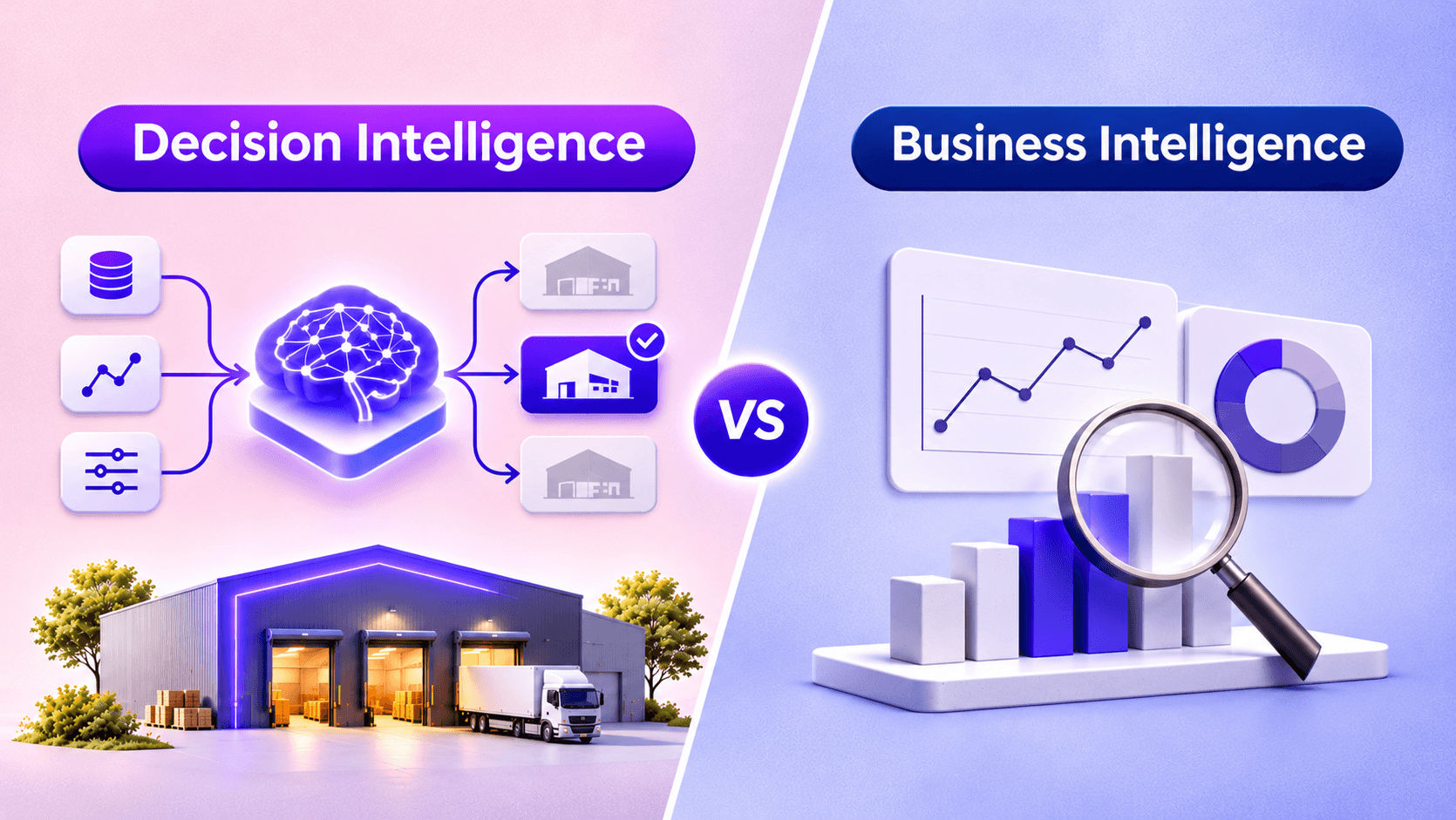
Business intelligence reports what already happened, while decision intelligence recommends and can automate what to do next. In the decision intelligence vs business intelligence choice, BI fits reporting and hindsight, and DI fits high-volume, repeatable calls. Pick by whether you need insight or action.
The analytics market is shifting from describing the past toward deciding the future. Grand View Research valued the global decision intelligence market at $17.8 billion in 2025, with a climb to $53.2 billion by 2033. That growth forces a real question for operators weighing decision intelligence vs business intelligence: genuine upgrade, or a rebranded dashboard? The answer resists a quick yes or no, because both disciplines handle data yet solve different problems.
Business intelligence is the practice of collecting, reporting, and visualizing data so people can see what happened. Decision intelligence is the discipline of engineering how decisions get made, then recommending or automating the next action. Which one your team needs depends on how each actually works.
What Is Business Intelligence?
Business intelligence turns raw operational data into readable reports and dashboards. A BI stack usually rests on four layers: data collection and integration, storage in a warehouse, analysis, and visualization. Platforms such as Power BI, Tableau, Looker, and Qlik sit on top, letting analysts and managers query performance without writing code.
The category traces back to the decision support systems of the 1980s, later renamed business intelligence once relational databases let users run their own queries. Done well, BI hands everyone a shared, trusted view of what the business did last week or last quarter, still the backbone of most reporting today.
The Limitations of BI
BI answers what happened, and sometimes why, then stops at the insight. A dashboard cannot tell a regional manager which of 300 items to reorder tonight, nor act on that call on its own. The gap is human. McKinsey found that only 20% of leaders say their organizations excel at decision-making, and just 37% rate their decisions as both high quality and fast. Static, predefined dashboards also strain when conditions move quickly, since their KPIs and relationships were fixed in advance. Reports accumulate, yet the decision still waits on a person to interpret them.
What Is Decision Intelligence?
So what is decision intelligence? Gartner defines it as a practical discipline that improves decision making by explicitly engineering how decisions are made and how outcomes are evaluated, managed, and improved through feedback. In plain terms, decision intelligence treats a decision as a process you can model, measure, and refine, rather than a one-off judgment.
It blends data science, artificial intelligence, and decision theory to move past reporting toward recommended action. Where BI renders the chart, a decision intelligence platform proposes the move and can trigger it. That shift from showing to acting sits at the center of the decision intelligence vs business intelligence distinction.
Core Components of Decision Intelligence
A decision intelligence platform stacks several parts on top of clean data. Predictive and causal models estimate what will happen and why. A decision model maps the choice, its options, and the metric it optimizes. An action layer pushes recommendations into the tools where work happens, and a feedback loop scores each outcome so the system sharpens over time. Vendors and custom engineering teams ship these as decision intelligence software or a decision management platform. The feedback loop separates the approach from a smarter report: the model improves each cycle instead of staying frozen.
Augmenting vs Automating Decisions
Decision intelligence runs along a spectrum from human-in-the-loop to full decision automation. At the augmenting end, the system recommends, and a person approves, which suits high-stakes or regulated calls. At the automating end, the system acts inside set guardrails, a fit for high-volume, repeatable decisions such as credit-line adjustments or dynamic pricing. Gartner projects that by 2025, 95% of decisions that use data will be at least partially automated. The correct spot on that spectrum is a governance question first, not a technology default, and it shifts with each decision’s risk and reversibility.
Decision Intelligence vs Business Intelligence: Core Differences
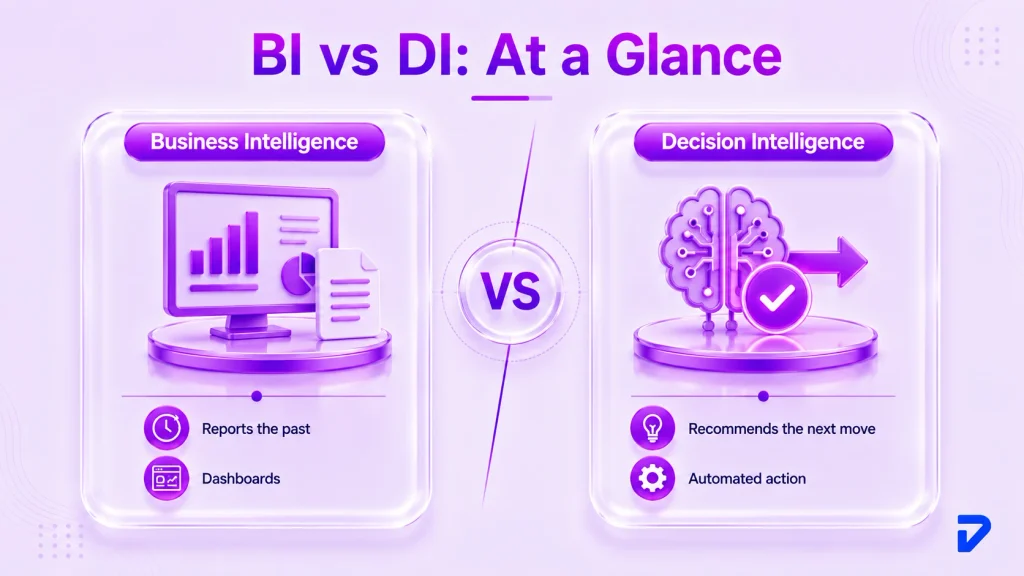
The cleanest way to separate the two is by their output. BI produces a description of the past; decision intelligence produces a recommended action, often delivered where the work happens. It combines data science, AI, and decision theory into decision analytics that close the loop from data to action. The table below sets the head-to-head across the dimensions that decide most buying calls.
| Dimension | Business Intelligence | Decision Intelligence |
| Core question | What happened, and why | What should we do next |
| Primary output | Dashboards and reports | Recommendations and automated actions |
| Time orientation | Descriptive, historical | Predictive and prescriptive |
| Core method | Data aggregation and visualization | Data science, decision modeling, feedback loops |
| Human role | Interprets and decides | Approves or oversees automated calls |
| Typical tools | Power BI, Tableau, Looker, Qlik | Decision intelligence platforms and custom builds |
| Best fit | Reporting, monitoring, self-service analytics | Repeatable, high-volume, time-sensitive decisions |
Why Traditional BI Falls Short in an AI-Driven Business Environment
BI was designed for a slower, smaller data world than the one most companies now run. As enterprise AI reshapes operations, the same shift that separates agentic AI from traditional AI exposes three structural limits in dashboard-first analytics. None of them means BI is obsolete; they mean BI alone leaves value on the table when decisions must be fast, causal, and joined up.
The Volume and Velocity Problem
The scale of modern data outruns manual dashboard review. IDC’s Data Age study projected the global datasphere would reach 175 zettabytes by 2025, with a rising share consumed in real time. A human scanning a weekly report cannot process that flow, let alone react before the decision window closes. Decision intelligence handles the volume by narrowing millions of signals to one recommended action, continuously rather than on a reporting cadence.
Correlation vs Causation
Dashboards excel at showing that two lines move together, yet correlation is not a reason to act. A BI chart might reveal that promotions and churn both rose last quarter without telling you whether one caused the other. That ambiguity is one reason so much analysis goes unused: industry estimates put the share of insights that decision-makers actually use at about 22%. Decision intelligence leans on causal models that estimate the effect of an action, so a recommendation reflects what will change an outcome, not what merely moved alongside it.
Data Silos and Fragmented Reporting
BI often mirrors the org chart, with finance, sales, and operations each maintaining separate dashboards on separate definitions. Fragmented reporting produces conflicting numbers and slow, negotiated decisions. A cross-functional decision, such as whether to extend payment terms to win a large account, needs those data sets joined and reasoned over together. Strong AI integration and governance unifies the pipelines so one decision layer can weigh cost, risk, and revenue at once instead of stitching three reports by hand.
How Decision Intelligence Builds on (Not Replaces) BI
Decision intelligence does not retire your reporting stack; it sits above it. BI stays as the layer that measures performance and keeps a shared record of what happened, while decision intelligence adds the model, the recommendation, and the action on top. Gartner formalized this newer category with its first Magic Quadrant for Decision Intelligence Platforms in January 2026, describing platforms that combine decision modeling, analytics, and AI to augment and automate decisions.
In practice, most teams keep Power BI or Tableau in place as the reporting core. They then feed the same governed data into a decision layer, the way decision support and business intelligence have always built on each other. Framed as an upgrade path rather than a rip-and-replace, the move keeps costs contained and preserves the reporting your board already trusts.
Key Benefits of Decision Intelligence
Speed
The clearest benefit is compressed time between signal and action. A dashboard surfaces a problem, then waits for a meeting; a decision layer recommends a response the moment the data lands. For choices that recur hourly, such as routing a support ticket or flagging a suspicious transaction, that difference is the whole game.
Scalability
Human review does not scale with data, but automated decision logic does. Once a decision is modeled, the same logic can run across thousands of cases without adding headcount. Gartner projects that by 2027, half of business decisions will be augmented or automated by AI agents built for decision intelligence.
Risk Mitigation
Consistency is a quiet form of risk control. When a policy lives in a decision model rather than in individual heads, every case gets the same criteria, which reduces the variance that leads to costly outliers. The system can also test a proposed action against constraints before it executes, so a pricing move that would breach margin floors gets blocked automatically.
Accuracy
Recommendations grounded in causal models and fresh data tend to beat gut calls under pressure. Because a decision intelligence system scores its own outcomes, it can detect when a rule stops working and adjust, rather than repeating a stale assumption. Accuracy also improves through data-driven decision making at the point of action, since the model sees the full context rather than the slice one analyst happened to pull.
Comprehensive Analysis
A single dashboard shows one view; a decision layer weighs many at once. It can hold cost, demand, risk, and capacity in the same calculation and optimize for the metric that matters, instead of leaving a person to reconcile separate charts. Decision analytics that reason across silos produce choices that hold up when every function checks the math.
Real-World Applications by Industry
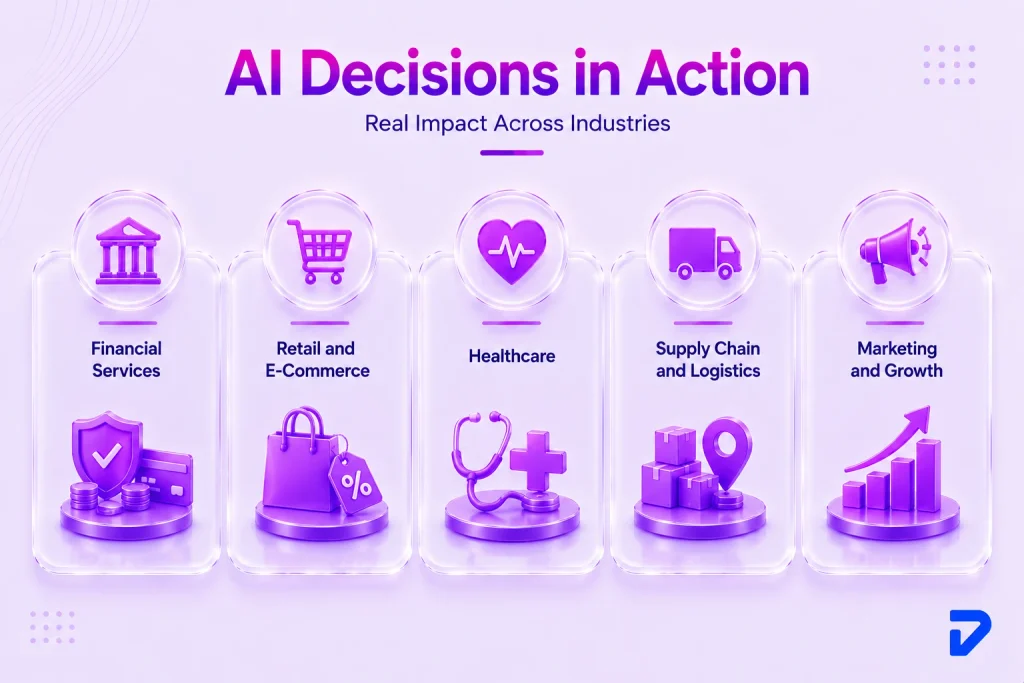
Financial Services
Credit, lending, and fraud decisions are high-volume and time-sensitive, a natural fit. A model can score a transaction for fraud in milliseconds and either clear it, block it, or route it for review, far faster than a manual queue. Firms building on financial services AI use the same decision layer to adjust credit lines within regulatory limits. The audit trail matters as much as the speed, since every automated call must withstand a compliance review.
Retail and E-Commerce
Prices, inventory, and personalization change by the hour, so static reports lag reality. A decision system can reprice thousands of items against demand, competitor moves, and stock levels, then push the change straight to the catalog. Teams working with retail and e-commerce AI also automate reorder points, cutting both stockouts and overstock. The result is a merchandising operation that reacts to today’s signals rather than last week’s summary, protecting margin in volatile seasons.
Healthcare
Clinical and operational decisions carry real stakes, so healthcare leans toward augmentation over full automation. A decision model can flag patients at risk of readmission or recommend the best bed allocation, then hand the call to a clinician. Providers investing in healthcare AI pair prediction with strict oversight, keeping a human accountable for every patient-facing choice. Here, the value is a sharper recommendation rather than a hands-off decision, which suits a field where explainability is not optional.
Supply Chain and Logistics
Route planning, demand forecasting, and supplier selection carry too many variables for a spreadsheet to optimize well. A decision layer can rebalance inventory across warehouses or reroute shipments around a disruption while the event is still unfolding. Linked through workflow and process automation, these systems turn a recommendation into an executed action, such as an automatic reorder.
Marketing and Growth
Budget allocation, bid management, and audience targeting reward fast, frequent adjustment. A decision system can shift spend toward the channels producing profitable conversions and away from those that are not, updating as the data changes rather than at the end of a campaign. This closes the loop that pure reporting leaves open, since the insight becomes a spend change automatically. For growth teams, the gain is not a prettier report but a budget that reallocates itself toward what works.
Which One Does Your Business Actually Need?
The honest answer is that many organizations need both, in sequence. If you are asking whether you should use decision intelligence or business intelligence, and which one you actually need, a few variables settle it. They are decision volume, how fast conditions change, your data maturity, and the compliance load you carry. Work through the three cases below to place your own situation before you commit budget.
When BI Is Enough
BI alone is the right call more often than vendors admit. It fits when your key decisions are periodic rather than constant, and a person reading a weekly report can still act in time. If your main need is a trusted, shared view of performance, a solid business intelligence decision support setup covers you. Standard reports, compliance summaries, and board packs rarely need automation. A decision layer added to a low-velocity environment buys complexity you will not use, and the simpler stack stays cheaper to run.
When You Need Decision Intelligence
The question of when to choose decision intelligence over business intelligence resolves fast. The trigger is a decision that repeats at high volume, conditions that shift faster than a human reacts, or a choice spanning data sets no single dashboard unifies. Fraud scoring, dynamic pricing, and real-time routing all fit. If your analysts spend their days manually turning reports into the same kinds of calls, that repetitive work is a signal to model the decision itself. The clearer the pattern and the higher the frequency, the stronger the case for decision intelligence solutions.
When You Need Both
Most mid-market companies land here. For mid-market companies, the decision intelligence vs business intelligence call usually ends in both. BI keeps measuring the business and serving the reports leadership relies on, while decision intelligence automates the decisions that are frequent and time-critical. The two run side by side on shared, governed data. A narrow start, one or two high-value decisions layered onto existing dashboards, is how mid-market AI programs prove value without betting the whole analytics budget on a single leap.
How to Move from BI to Decision Intelligence
Build a Decision Inventory
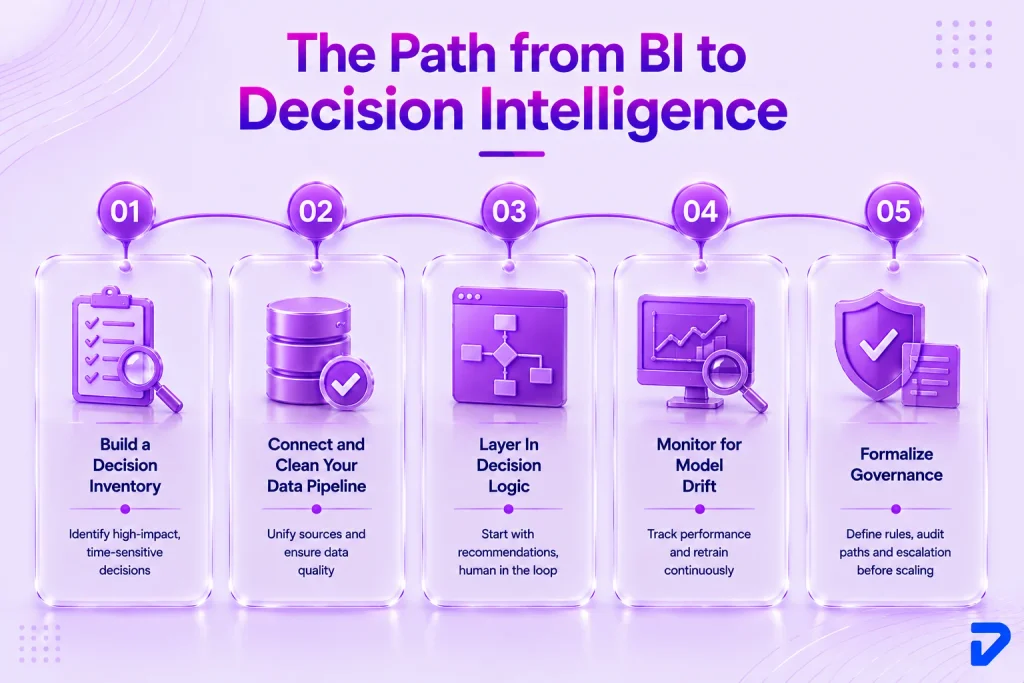
Start with the decisions, not the technology. List the recurring calls your teams make, then rank them by frequency, dollar impact, and how much they depend on speed. The decisions that are high-volume, high-value, and time-sensitive rise to the top as candidates for a model.
Connect and Clean Your Data Pipeline
A decision is only as good as the data behind it. Before modeling anything, unify the sources the decision touches and fix the quality gaps that dashboards let people work around. A report can tolerate a stale or partial feed; an automated decision cannot.
Layer In Decision Logic
With clean data in place, model the chosen decision: its options, the metric it optimizes, and the constraints it must respect. Begin in recommendation mode, where the system proposes, and a person approves, so you can compare its calls against human ones before trusting it further. This is where decision analytics turns operational. Keeping a human in the loop early builds the evidence and confidence needed to widen automation later.
Monitor for Model Drift
Models decay as the world changes, a problem BI never had because reports do not predict. Track each model’s accuracy against real outcomes and set alerts for when performance slips, a condition known as drift. A pricing model tuned on last year’s demand can quietly go wrong when behavior shifts. Steady monitoring, retraining, and clear ownership keep the decision layer honest, separating a demo that impressed from a system that lasts in production.
Formalize Governance
Automated decisions need rules about who owns them, how they are audited, and when a human overrides. Define the guardrails, the escalation paths, and the documentation before you widen automation, not after an incident. A decision support system that acts on its own has to be explainable to regulators and to your own leadership. Governance is not a brake on the program; it is what lets you automate confidently, because everyone knows how each call gets made and who answers for it.
Not sure whether dashboards or a decision layer fits your team?
Pinnasys builds decision intelligence on top of your existing BI, scoped to your compliance and technical needs, so the choices reach production. Map your decisions.
How Pinnasys Helps Businesses Bridge BI and Decision Intelligence
The choice between reporting and decisions is one thing; running the result in production is another. Pinnasys works as the implementation partner that helps a team execute whichever path fits, built around real compliance and technical requirements rather than a demo. The goal is measured in hours saved, errors reduced, and revenue unlocked, not slideware.
That work spans the parts most teams find hardest to do alone: joining fragmented data, modeling the decision, wiring the action into existing tools, and standing up the monitoring that catches drift. The team’s delivery experience reaches back to 2016, which shapes a bias toward systems that survive contact with production. Pinnasys keeps your business intelligence stack intact and adds the decision layer only where the evidence supports it.
If you are weighing whether your next investment belongs in reporting, decisions, or both, a scoping conversation is the fastest way to find out. Talk to the Pinnasys team about the decisions worth automating first.
The Bottom Line
The real difference in decision intelligence vs business intelligence comes down to what each one hands you. BI gives a trusted account of the past, while decision intelligence gives a recommended action for the present. Neither wins outright. Lower-velocity, report-heavy work is well served by BI alone, while frequent, fast, cross-functional decisions justify a decision layer on top. Most mid-market teams end up running both, starting narrow and expanding as the evidence lands. The practical move is to inventory your decisions, then decide where insight is enough and where action is worth automating. Pinnasys and its AI consulting team can help you map that path and build only what earns its place.
Key Takeaways from the Article
- BI reports what happened; decision intelligence recommends and can automate the next action.
- Decision intelligence layers onto BI rather than replacing your existing reporting stack.
- High-volume, time-sensitive, cross-functional decisions make the strongest case for DI.
- Causal models let DI act on cause, where dashboards only show correlation.
- Mid-market teams win by automating one or two high-value decisions first.
FAQs on Decision Intelligence vs Business Intelligence
What is the main difference between decision intelligence and business intelligence?
Business intelligence describes what happened through dashboards and reports, while decision intelligence recommends or automates the next action. BI supports human interpretation; DI engineers the decision itself, then improves it with feedback so outcomes get sharper each cycle.
Does decision intelligence replace business intelligence?
No. Decision intelligence sits on top of BI as a decision layer, while BI remains the reporting layer. Gartner published its first decision intelligence platforms Magic Quadrant in January 2026, formalizing DI as complementary, not a replacement.
What industries benefit most from decision intelligence?
Financial services, retail, healthcare, supply chain, and marketing gain the most, since each makes frequent, time-sensitive decisions. North America held over 44% of the decision intelligence market in 2025, reflecting heavy adoption across these data-rich, decision-dense sectors.
Is decision intelligence the same as predictive analytics?
No. Predictive analytics forecasts what may happen and is one input to decision intelligence. DI adds decision modeling, an action layer, and feedback loops that turn a prediction into a recommended or automated choice.
What tools are used for decision intelligence vs business intelligence?
BI relies on Power BI, Tableau, Looker, and Qlik for reporting. Decision intelligence software and decision management platforms add causal modeling, decision automation, and action delivery, often through purpose-built decision intelligence platforms or custom builds on the existing data warehouse.
How does AI change the comparison between BI and DI?
AI widens the gap. Gartner projects half of business decisions will be augmented or automated by AI agents by 2027, pushing enterprise AI beyond dashboards toward systems that act. That trend favors decision intelligence for high-frequency, high-stakes operational calls.