


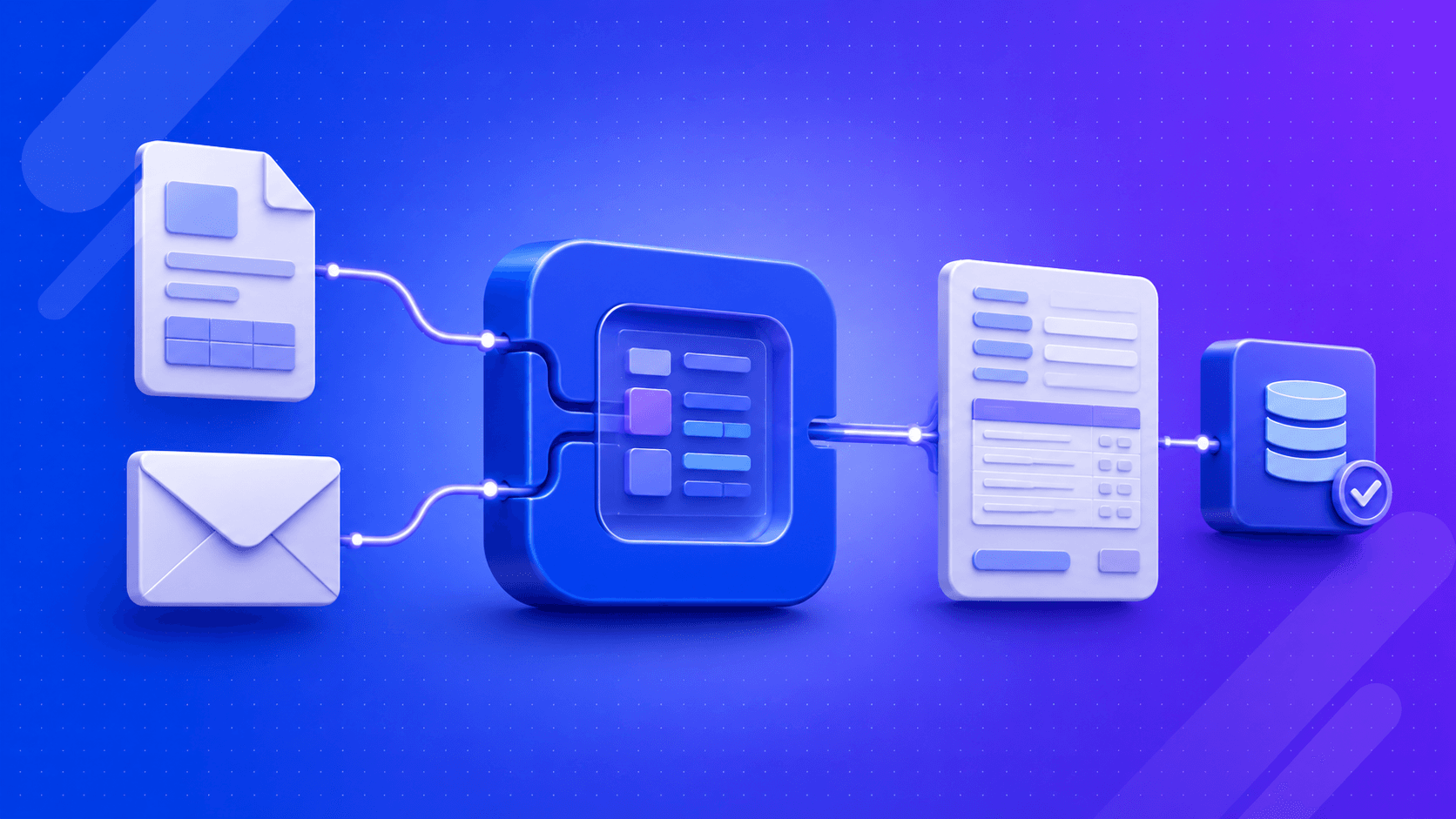
AI order entry automation turns the slowest part of your sales cycle into a system that runs itself. This guide explains exactly how it works, which technologies drive it, and what your team gains when orders flow from inbox to ERP without anyone typing a thing.
Every email order that arrives as a PDF, scanned purchase order, spreadsheet, or plain-text message creates another manual task for your operations team. Someone has to open the file, extract the information, validate it, and enter it into your ERP. At scale, this process slows order fulfillment, increases labor costs, and introduces costly data entry errors that impact customer satisfaction. AI order entry automation eliminates this bottleneck by automatically capturing, extracting, validating, and posting order data from emails and documents into your ERP.
In this blog, you’ll learn how AI automates order entry from PDFs and email, the technologies behind it, the implementation process, and the business outcomes distributors and manufacturers can expect.
Why Manual Order Entry Is Slowing Distribution Operations
Manual order entry remains one of the biggest operational bottlenecks for distributors. Every order requires employees to read documents, verify customer details, and manually enter data into ERP systems. As order volumes grow, this process slows fulfilment, limits productivity, and increases operational costs.
Purchase orders arrive in multiple formats, from PDFs and spreadsheets to unstructured emails. APQC reports manual data entry error rates of 1–3%, meaning even small mistakes can lead to incorrect shipments, invoice disputes, and poor customer experiences that require additional rework.
The challenge extends beyond speed and accuracy. APQC found employees spend 20–40% of their time on manual data handling, while McKinsey reports businesses relying on manual order processing incur 30% higher operational costs than those using automation. Traditional OCR offers limited improvement because it extracts text without understanding business context, making it unreliable for complex order documents.
What Is AI-Powered Order Entry Automation?
AI-powered order entry automation uses artificial intelligence to capture, interpret, validate, and process order data from documents such as PDFs, emails, spreadsheets, and scanned files without manual data entry. Unlike traditional OCR or rule-based systems, it understands document context, adapts to new layouts, and learns from corrections to improve accuracy over time.
- Captures data from PDFs, emails, Excel files, and scanned documents.
- Understands document context instead of only extracting text.
- Processes new purchase order formats without fixed templates.
- Validates customer, product, pricing, and quantity information.
- Flags uncertain fields for human review.
- Integrates with ERP and order management systems.
- Learns from corrections to improve future processing accuracy.
How AI Automates Order Entry From PDFs and Email
The end-to-end process is a seven-step pipeline. Each step adds a layer of intelligence that removes a point of manual effort.
Step 1: Capture Incoming Emails and Attachments
The AI platform continuously monitors shared order inboxes using standard email protocols such as IMAP or OAuth. It automatically captures new emails and attachments without requiring employees to download files or manually forward purchase orders.
The same process extends beyond email. Orders received through supplier portals, EDI feeds, or shared drives are captured through secure integrations, ensuring every incoming order enters a single automated workflow without delays or manual intervention.
Step 2: Extract Data From PDFs and Other Document Formats
Computer vision and OCR convert PDFs, scanned documents, images, and spreadsheets into structured, machine-readable data. Digital PDFs are processed within milliseconds, while scanned documents are enhanced before extraction to improve recognition accuracy.
According to ABBYY, AI-powered Intelligent Document Processing can achieve up to 99% extraction accuracy on structured and semi-structured business documents, significantly outperforming traditional OCR for complex order processing.
Step 3: Understand Order Details Using AI
Large language models (LLMs) analyze extracted content to identify customer names, purchase order numbers, delivery addresses, products, quantities, pricing, and other order details. Unlike template-based tools, AI understands document context instead of relying on predefined layouts.
This contextual reasoning enables the system to process new purchase order formats without rebuilding templates. It can interpret document intent, making it more adaptable to changing customer formats and supplier documents.
Step 4: Validate Information Against Business Rules
Once order data is extracted, AI validates every field against predefined business rules before posting information into business systems. It verifies totals, quantities, pricing, customer records, and delivery dates to prevent downstream errors.
Research from IBM estimates that poor data quality costs organizations $3.1 trillion annually in the United States, making automated validation an essential step for reducing costly order and pricing errors.
Step 5: Match Customers, Products, and Pricing
AI uses semantic search and fuzzy matching to connect extracted product descriptions with the correct SKU, even when abbreviations or informal product names are used. Customer accounts are matched using purchase order numbers, account codes, or billing information.
The platform also applies customer-specific pricing and contract terms automatically, reducing pricing inconsistencies while ensuring every order aligns with existing business rules before processing.
Step 6: Create Orders in ERP, CRM, or OMS
After validation, structured order data is automatically posted into ERP, CRM, or Order Management Systems through APIs or middleware integrations. Platforms such as SAP, Oracle, Microsoft Dynamics, and NetSuite are commonly supported.
For most orders, the complete workflow from email receipt to ERP creation is completed in under two minutes, helping distributors accelerate fulfillment while eliminating repetitive manual entry.
Step 7: Flag Exceptions for Human Review
When AI detects low-confidence fields, missing information, or pricing discrepancies, it routes only those exceptions to a human reviewer with highlighted fields and the original document displayed alongside the extracted data.
This human-in-the-loop approach improves reliability while maintaining high automation rates. According to Everest Group, leading Intelligent Document Processing deployments achieve more than 95% straight-through processing (STP), meaning fewer than 1 in 20 orders require manual review.
Ready to eliminate manual order entry?
Partner with Pinnasys to build AI-powered order entry automation that integrates with your ERP, processes PDFs and emails automatically, and delivers faster, more accurate order fulfillment.
Core Technologies Behind AI Order Entry
Understanding the technology stack makes it easier to evaluate vendors and set realistic expectations for your implementation.
| Technology | Role in order automation | Why it matters |
| OCR | Converts scanned images and PDFs to machine-readable text | The entry point for any paper or image-based document |
| Computer Vision | Pre-processes images, detects tables, separates fields | Enables accuracy on low-quality scans and handwritten notes |
| LLMs | Understand document intent and extract structured fields from unstructured text | Eliminates brittle template rules; handles novel layouts |
| NLP | Resolves product descriptions, normalizes customer names, detects language | Bridges the gap between how customers write and how your catalog is structured |
| IDP platform | Orchestrates the full pipeline from capture to validation | The “container” that connects all layers and routes exceptions |
| Workflow automation | Posts data to ERP/CRM, triggers notifications, routes approvals | Closes the loop from document to business system |
Key Benefits of AI Order Entry Automation
The business case for AI order entry is not speculative. The gains are measurable within weeks of a successful deployment.
- Faster processing: Orders that take a trained operator 10–20 minutes to enter manually are processed in seconds. At scale, this means a morning’s worth of overnight orders is in your ERP before the warehouse opens, not mid-afternoon.
- Higher accuracy: IDP solutions consistently deliver field-level accuracy above 95%, with best-in-class systems reaching 99%+. That compares favorably against the 1–3% error rate that comes with manual entry, and it eliminates the downstream costs of incorrect shipments and credit disputes.
- 24/7 processing: An order that arrives at 11 pm on Friday is in your ERP by 11:02 pm, not Monday morning. For distributors who serve customers across time zones, this alone changes the competitive picture.
- Reduced operational costs: When automated order entry handles the straight-through volume, your team’s time shifts from data entry to exception resolution and customer relationship work. McKinsey’s IDP case study found one organization doubling processing speed while using half the effort, producing a fourfold increase in document throughput within four weeks of deployment.
- Improved compliance: Every order processed by an AI system produces a structured audit trail: the source document, the extracted fields, the validation checks, and the ERP record. That chain of evidence simplifies regulatory reporting and dispute resolution.
Common Challenges and How AI Handles Them
Operators who have tried automation before are right to probe the edge cases. Here is how a production-grade system addresses the most common failure points.
Different PDF layouts
Customers use dozens of different purchase order templates, and some change them seasonally. LLM-based extraction is layout-agnostic; it reasons about field semantics rather than spatial position on the page, so a new template requires no configuration change and no engineering ticket.
Low-quality scans and handwritten notes
Computer vision pre-processing corrects skew, enhances contrast, and isolates text regions before extraction runs. Handwritten fields are the most challenging case; a well-designed system flags them for human review rather than guessing, which protects accuracy where the technology reaches its practical limit.
Missing fields
When a customer omits a required field, a delivery date, or a billing address, the system identifies the gap, applies a default if one is configured, and routes the order for confirmation rather than posting incomplete data to the ERP. This prevents a class of errors that manual entry regularly lets through.
Duplicate orders
Studies show approximately 9% of manually entered orders are duplicates. AI order entry systems run duplicate checks against recent order history before posting, cross-referencing the PO number, customer account, and line items to catch resends and re-submissions automatically.
Multi-language documents
NLP models trained on multilingual data can extract order fields from documents in German, French, Spanish, or any major commercial language. For international distributors receiving orders from European or Latin American customers, this removes a translation step that often delays processing by hours.
Industries That Benefit Most From AI Order Entry Automation
While the technology applies broadly, certain sectors see the fastest payback from AI automation.
| Industry | Primary driver | Typical gain |
| Wholesale distribution | High order volume, many customer templates | 80–90%+ reduction in manual entry time |
| Manufacturing | Complex BOMs, multi-line orders, scanned POs | Faster order-to-production cycle, fewer line-item errors |
| Logistics | Time-sensitive shipment instructions across formats | Orders posted before the loading window closes |
| Healthcare suppliers | Strict compliance requirements, high document volume | Audit trails, accuracy, and regulatory traceability |
| Food and beverage | Short lead times, weight/quantity variations | Real-time ERP updates aligned to production scheduling |
| Retail procurement | Vendor POs across global suppliers in multiple languages | Consistent intake regardless of supplier document style |
Distribution and manufacturing sit at the top of this list for a practical reason: they combine high order volumes with the greatest diversity of customer document formats. A mid-market distributor processing 500 orders per month across 50 customer templates is exactly the scenario where AI delivers its fastest return on investment.
Measuring the ROI of AI Order Entry Automation
Before deployment, establish baselines on the metrics that matter. After deployment, track them weekly.
- Order processing time: minutes from email arrival to ERP entry, measured end to end.
- Straight-through processing (STP) rate: the percentage of orders processed without any human intervention.
- Field-level accuracy: the percentage of extracted fields that match the source document without correction.
- Exception rate: the volume of orders flagged for human review, which should decline as the model learns from corrections.
- Cost per order: total processing cost divided by order volume, which should drop materially within the first quarter.
- Customer response time: how quickly an order confirmation goes back to the buyer, which directly affects customer satisfaction scores.
The Bottom Line
Manual order entry is no longer a necessary operational burden. AI order entry automation helps businesses process email and PDF orders faster, improve accuracy, reduce manual effort, and integrate seamlessly with existing ERP systems without disrupting daily operations.
If your team is still spending hours entering orders by hand, the opportunity cost is growing. Pinnasys helps businesses identify the right workflows to automate, implement production-ready AI solutions, and achieve measurable ROI with a practical, phased approach.
Key Takeaways from the Article
- Manual order entry carries a 1–3% error rate, driving chargebacks, returns, and customer churn.
- AI order entry handles PDFs, scanned POs, and email body text without fixed templates or manual configuration.
- Best-in-class IDP deployments achieve straight-through processing rates above 95%, eliminating most manual touchpoints.
- LLMs extract order fields by understanding document intent, not matching spatial patterns on a fixed layout.
- Wholesale distribution, manufacturing, and logistics see the fastest payback from automated order entry.
Frequently Asked Questions
Can AI read purchase orders from PDFs?
Yes. AI-powered IDP platforms extract line items, quantities, pricing, and customer details from any PDF layout, structured, scanned, or handwritten, without needing a pre-built template. Field-level accuracy on well-structured purchase orders typically reaches 95–99%.
How accurate is AI order entry compared to manual processing?
Manual data entry carries an accepted error rate of 1–3% per APQC benchmarks. AI order entry systems consistently exceed 95% field-level accuracy, with best-in-class deployments reaching 99%+, and straight-through processing rates above 95% on production document volumes.
Does AI order entry work with scanned documents?
Yes, though accuracy depends on scan quality. Computer vision models correct skew and enhance contrast before extraction runs. Handwritten fields are the hardest case; a well-designed system routes low-confidence fields for human review rather than guessing, protecting overall accuracy.
Can AI extract order details directly from email body text?
Yes. NLP models read the email body alongside any attachment, extracting order instructions written in plain language. This matters for customers who send informal orders without a formal PO document, a common pattern in smaller accounts and rush orders.
Can AI order entry integrate with SAP, Oracle, or Microsoft Dynamics?
Yes. Production AI order entry systems connect to major ERP platforms through native APIs or middleware. SAP, Oracle, Microsoft Dynamics 365, and NetSuite all support direct integration, with validated data posted as a sales order or purchase order record without a manual import step.
How is AI order entry different from OCR?
Standard OCR converts document pixels to text but cannot interpret meaning. AI order entry uses LLMs and NLP to understand what each extracted value represents, product code versus quantity versus price, and maps those values to the correct ERP fields, even on layouts the system has never seen.





Prakash C. Saini
Prakash Saini is the Founder & CEO of Pinnasys. With over a decade in digital transformation and building production systems, he grew an engineering team from 2 to 50 people and has led the delivery of 100+ production digital systems. Products built under his leadership have raised millions in funding and generated over $50 million in revenue. He holds an Executive MBA from IIM Kozhikode and today leads the AI engineering team at Pinnasys.