


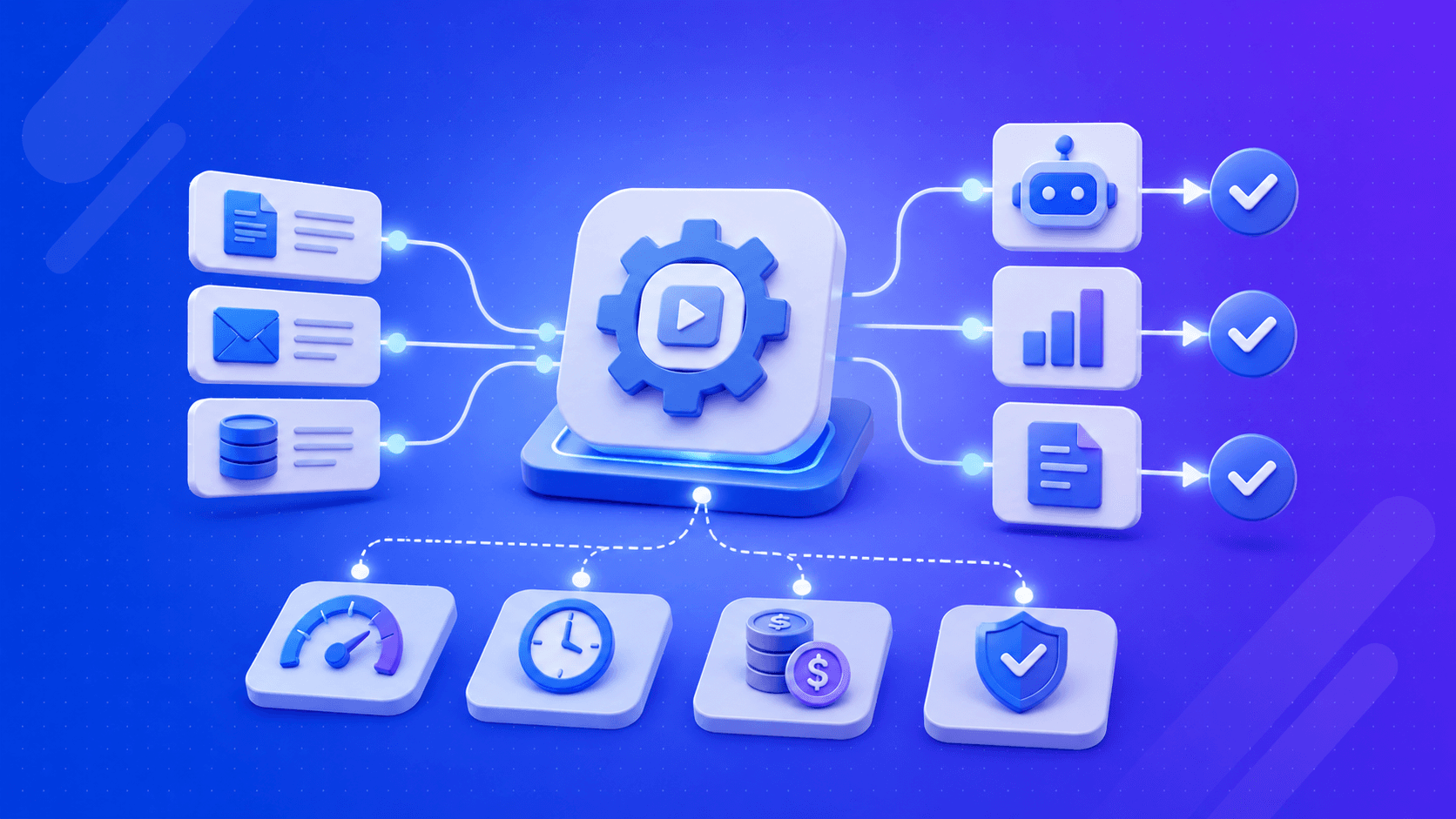
Businesses today need faster, smarter ways to work. Learn how AI workflow automation reduces repetitive tasks, improves efficiency, supports better decisions, and helps teams focus on work that truly matters.
Picture your Monday morning. Someone on the team is manually copying data from one platform to another. A customer email has been sitting unread since Friday afternoon. Three approval requests are waiting on one person who has been in meetings since 8 am. Not one part of that required a human.
That is the problem AI workflow automation exists to fix. It takes the predictable, repetitive, rules-based work that currently lands on people’s desks and runs it automatically. No chasing, no waiting, no copying between systems. This AI automation guide for enterprises covers how it works, which tools actually matter, and where businesses are getting real results from it right now.
AI Workflow Automation Explained
Most businesses already have some form of automation. A form triggers a confirmation email. A spreadsheet updates on its own. Basic stuff, and it works fine right up until something slightly unexpected happens, at which point the whole thing usually falls apart completely. Real processes do not behave like tutorial examples. Customers send emails that bundle three separate issues into a single message. Invoices arrive in formats your system has never encountered.
A complaint ticket sits between two departments, and neither one claims ownership of it. AI process automation handles these situations differently because it does not just follow instructions. It reads context, interprets unstructured information, and makes decisions. That gap, between following rules and understanding a situation, is what makes intelligent automation a genuinely different category rather than just a faster version of standard workflow tooling.
How Does AI Workflow Automation Work?
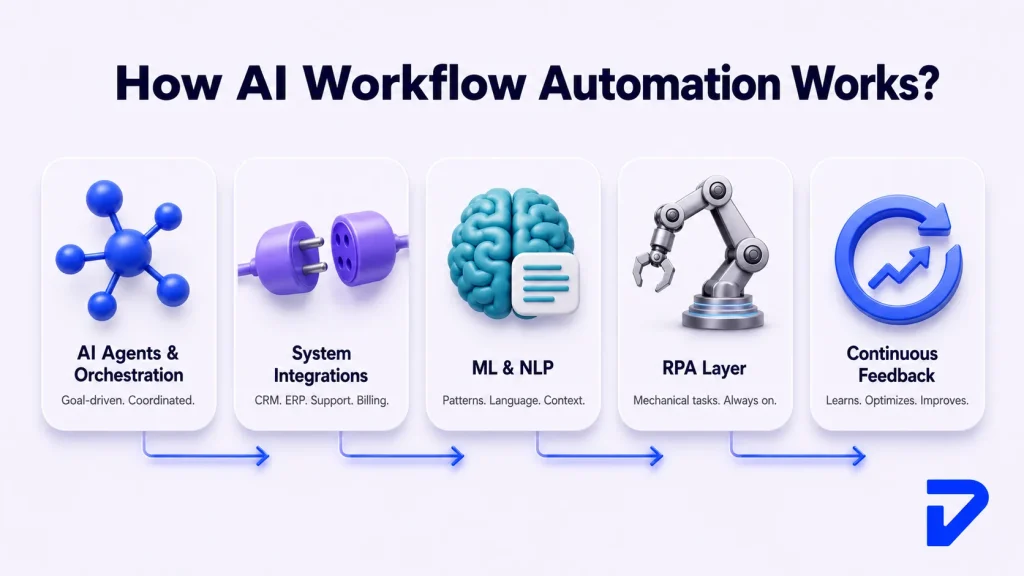
AI Agents and Orchestration
AI agents are independent. Each one has a specific job: pulling data, verifying a detail, updating a record, sending a notification. It does not wait to be supervised; it just acts. But independent agents without any coordination make things worse, not better. Workflow orchestration is the part that holds a process together.
It sets the sequence, manages how agents hand work to each other, and keeps the full picture visible from start to finish. In enterprise automation, orchestration is not a supporting feature. It is the thing that makes individual components function as an actual process rather than a set of disconnected actions running in no particular order.
Integrations
Your CRM does not know what your billing platform is doing. Your support tool does not share data with your ERP. Most businesses run software that was never designed to communicate, and somebody, usually a real person, ends up manually bridging those gaps every single day.
AI workflow automation connects these systems through APIs. One action in one platform triggers updates in several others without anyone touching it. That is what properly connected business process automation actually looks like, and it is where a significant amount of daily manual work quietly disappears.
ML Algorithms and NLP
Machine learning identifies patterns in data and adjusts behavior based on those patterns. The more it processes, the more accurate it gets at whatever it is doing. That is the simplest way to describe it.
Natural Language Processing handles text specifically. Support tickets, emails, contracts, chat messages. NLP reads these and understands what they actually mean in context, which sounds straightforward until you start dealing with how unpredictably customers actually write.
Robotic Process Automation
RPA has been around longer than most people realize. It handles the mechanical side of digital work: logging into systems, copying data between applications, and generating standard documents. Fast, accurate, no complaints about doing the same thing ten thousand times. The limitation is that it cannot adapt.
Give standard RPA something unexpected, and it stops dead. Combine it with AI, and that changes completely. The system handles exceptions, processes unusual inputs, and keeps running when something does not go exactly as planned. That combination is what most people mean by intelligent automation.
Continuous Feedback
The most obvious strength in implementing AI process automation is its capacity for continuous improvement. AI systems can analyze performance metrics within a workflow, assess efficiency, identify potential issues or bottlenecks, and learn from past operational patterns.
Tired of manual workflows draining your team’s time and accuracy?
Pinnasys builds custom AI automation systems designed around how your business actually operates. Let’s eliminate the busywork and put your processes to work.
Top 6 Benefits of AI Process Automation in 2026
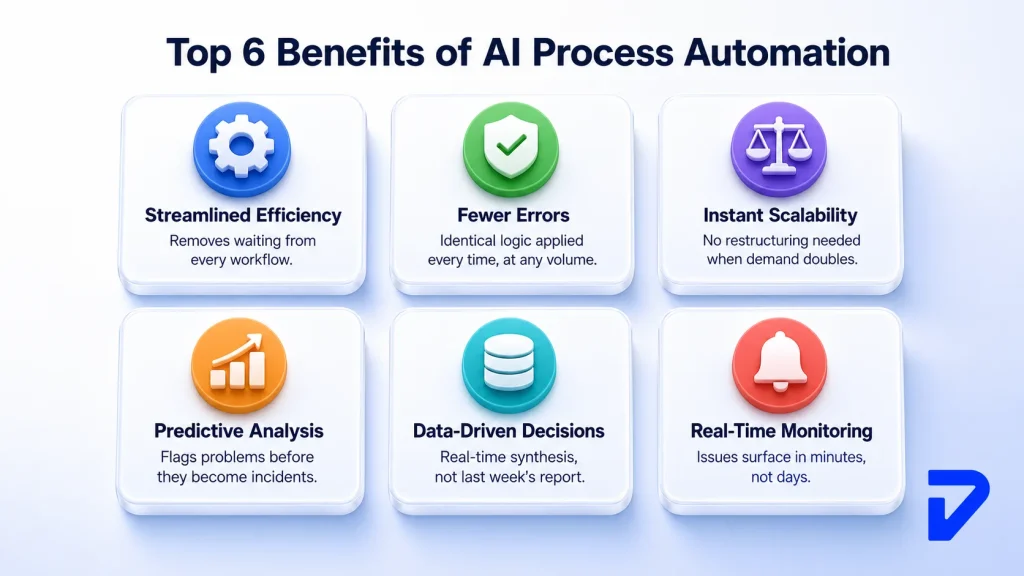
Streamlined Business Efficiency
Waiting is expensive, even when nobody is tracking the cost. Approvals that sit idle for two days, queries that do not get categorized until Tuesday, reports that take three hours to compile on a Monday morning. AI workflow automation eliminates waiting because nothing depends on someone being available to move it forward.
Reduction in Human Errors
Sustained, high-volume, repetitive work produces errors at a predictable rate. Not because of carelessness. Because that is simply what happens to concentration when people do the same thing hundreds of times in a row. Automated workflows apply identical logic every single time, regardless of volume or time of day.
Scalability
Here is a straightforward question. If your transaction volume doubled tomorrow, what would the plan be? AI process automation does not need a plan for that. The same system handles significantly more load without structural changes or emergency hiring.
Predictive Analysis
Reactive systems tell you what went wrong after it already happened. AI workflow automation identifies what is likely to go wrong before it does. A bottleneck is forming, a customer is showing signs of disengagement, and a demand spike is approaching. Knowing early changes what your team can actually do about it.
Data-Driven Decision Making
The data most organizations need is already sitting in their own systems. The problem is that pulling it together manually takes so long that it is outdated before anyone acts on it. AI automation consolidates it continuously. Decisions are based on what is happening now, not on what happened last week.
Real-Time Monitoring
A problem caught in the first hour costs far less than one discovered three days later through a customer complaint. AI-powered platforms flag issues as they develop. Not in the next reporting cycle, but immediately.
AI Workflow Automation Tools
- Zapier: Zapier connects a wide range of applications without any coding. Where most smaller businesses and teams start when building their first automated workflows.
- Make: Make offers more visual control and handles multi-step conditional logic well. A sensible step up for teams that have outgrown Zapier.
- n8n: N8n is open-source and self-hostable. The right fit for teams that want complete control over workflow orchestration without being tied to any vendor’s platform decisions.
- Gumloop: Gumloop is built specifically for AI-powered processes: document extraction, AI agent workflows, and content automation. Non-technical users can handle genuinely complex logic with it.
- Microsoft Copilot Studio: Microsoft Copilot Studio suits organizations already running on Microsoft infrastructure. Process automation combined with AI assistant functionality and enterprise security controls built in from the start.
- UiPath: UiPath is one of the established leaders in enterprise automation. RPA paired with AI capabilities, orchestration tooling, and analytics for large-scale, complex operations.
How to Utilize AI for Business Process Automation?
Step 1: Map And Audit Your Workflows
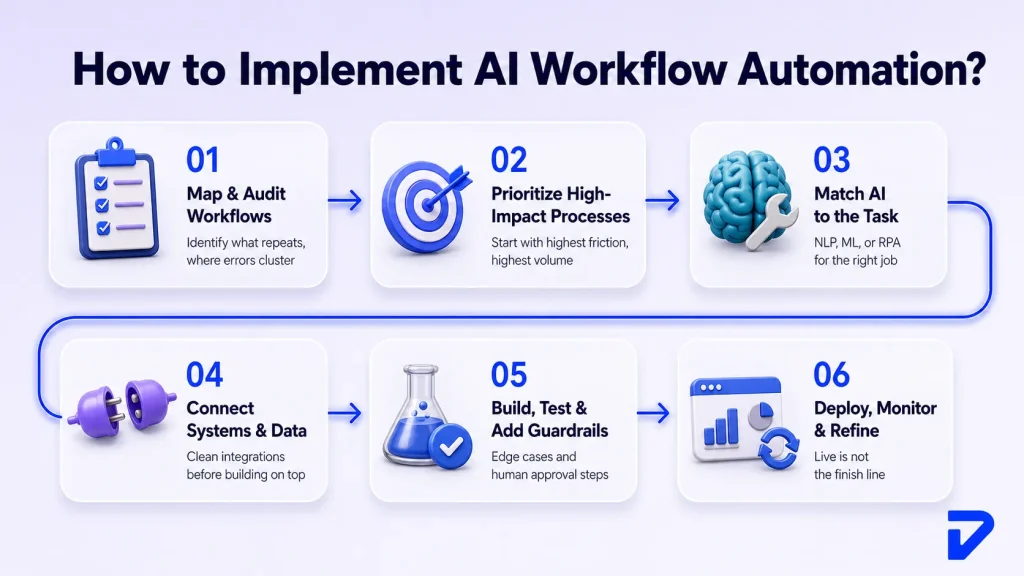
Look honestly at what currently happens before deciding what to change. Which tasks repeat daily? Where do errors show up consistently? Which approvals sit idle, and for how long? That picture tells you exactly where automation will deliver the most value.
Step 2: Prioritize High-Impact Processes
Do not start with what is technically easiest. Start with what hurts most operationally. High-volume, high-error, high-friction processes. Visible early results build the internal case for doing more.
Step 3: Match The Right AI to the Task
NLP for communication and text-heavy workflows. Machine learning where prediction or pattern recognition matters. RPA for mechanical digital tasks. Using the wrong capability for a given problem means having to rebuild it later.
Step 4: Connect Your Systems And Data
Automation running on siloed or incomplete data produces unreliable results. Verify that relevant systems are connected and that data flowing between them is accurate before building anything on top of it.
Step 5: Build, Test, And Add Guardrails
Test properly before going live. Run edge cases through the system, and build in human approval steps for situations the system cannot resolve confidently on its own. These are not optional; they are what make AI workflow automation trustworthy in a real production environment, not just in testing.
Step 6: Deploy, Monitor, And Refine
Going live is not the finish line. Track performance, watch where exceptions cluster, and refine regularly. Implementations that keep delivering value are the ones being actively maintained, not the ones left alone after launch.
Looking to Automate Your Business Workflows?
Automated processes that currently must be done manually waste your time and introduce inaccuracies each day they continue to exist. Pinnasys specializes in creating custom-made AI automation solutions based on the way your company works.
Challenges of AI Process Automation
Acceptance of Change
As soon as it becomes known that there will be some process automation in place, employees will ask if they still need to do their work. Some concerns are legitimate, some are not, but all of them slow adoption if left unaddressed. Managing change is part of the strategy from the very beginning, not an extra topic to discuss six months later.
Technological Difficulties
Legacy systems that you may be using do not include any AI-integration technologies. There are no APIs or insufficient APIs, various incompatible data formats, and outdated or non-existent documentation. Teams that view integration as minor often face major delays that could easily be avoided with proper planning.
Security and Compliance
Data that moves across your company and goes through automated processes needs to be controlled. Access restrictions, log records, data residency needs, and industry compliance. Security measures implemented from the beginning will cost much less than trying to add security once problems appear.
Upfront Investment
Costs arrive before returns do. Platform licensing, integration work, configuration, and training. Businesses that understand this going in manage the phase properly. Those who believe profits will come quickly with minimal initial investment usually give up well before receiving any results.
5 Most Effective Use Cases for AI Workflow Automation
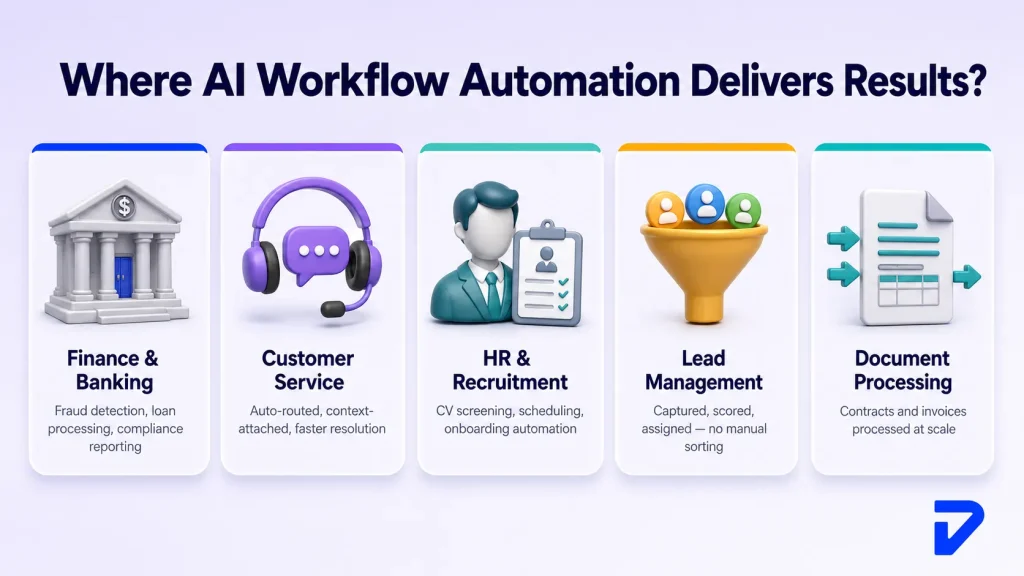
Finance & Banking
Finance & Banking work covers transaction monitoring, fraud detection, loan processing, and compliance reporting. All high-volume and accuracy-critical work. AI process automation handles these at a consistent speed without the error rate that builds up in sustained manual processing.
Customer Service
Queries get read, categorized, and routed without anyone handling them individually. Straightforward ones resolve automatically. Complex ones land with the right person, already with full context attached. Response times drop. Human effort concentrates where it actually matters.
Human Resources & Recruitment
CV screening, interview scheduling, and onboarding documentation. Large volumes of structured, repetitive administrative work. Automating it gives HR teams their time back for the parts of the job that genuinely require human involvement.
Lead Management
Leads captured from multiple sources, scored, assigned, and entered into follow-up sequences automatically. Sales teams work from organized pipelines instead of building and sorting them manually each morning.
Document Processing & Knowledge Extraction
Contracts, invoices, compliance submissions. All carrying information that needs to be extracted, verified, and acted on quickly. AI workflow automation processes these at a scale that manual document handling cannot match.
The Bottom Line
Businesses competing with yours are already running AI workflow automation. The operational gap between companies that have implemented this successfully and those still relying on manual processes is widening. It will keep getting wider. Getting it right takes more than picking a platform. It takes knowing which processes to start with, connecting existing systems without creating new problems, and building workflows that hold up under real operating conditions rather than just in a demonstration.
Pinnasys builds production-ready AI automation systems for growing businesses and enterprise teams. From workflow orchestration and AI process automation to complete intelligent automation strategies, everything is built around what your operations genuinely need. Get in touch to discuss what is possible.
Key Takeaways
- AI workflow automation reads context and makes decisions, unlike basic rule-based automation.
- It combines AI agents, orchestration, integrations, ML/NLP, and RPA into one system.
- Benefits include faster processes, fewer errors, scalability, and real-time monitoring.
- Success depends on auditing workflows first, then building with guardrails and ongoing refinement.
Frequently Asked Questions About AI Workflow Automation
How long does it take to implement AI workflow automation?
Integration of two tools, which already exist in an organization, is easy and takes only a couple of hours to get done. On the other hand, the implementation of AI into workflows requires quite a bit of effort and can be completed in weeks or even months.
What is the difference between AI workflow automation and intelligent automation?
Intelligent automation incorporates both AI and robotic process automation and gives machines decision-making abilities. AI workflow automation is a bit broader and involves process management throughout the whole layer of automation.
Do you need coding skills to set up automated workflows?
Coding is necessary when developing something from scratch and integrating different systems that might not be friendly enough for automation platforms. If you’re working with Zapier, Make, or Gumloop, then you don’t require coding knowledge for the simplest cases.
Is AI workflow automation suitable for small businesses?
Yes, entry-level costs are quite affordable these days, and there’s plenty of time saved by automating processes right away, thanks to reduced effort required to perform tasks. Most small enterprises start with one or two workflows before scaling further.
Will AI workflow automation replace human jobs?
In most cases, it replaces specific tasks rather than whole roles. Repetitive, administrative, process-heavy work gets automated. People who previously handled it tend to shift toward tasks requiring judgment, relationships, and problem-solving.





Prakash C. Saini
Prakash Saini is the Founder & CEO of Pinnasys. With over a decade in digital transformation and building production systems, he grew an engineering team from 2 to 50 people and has led the delivery of 100+ production digital systems. Products built under his leadership have raised millions in funding and generated over $50 million in revenue. He holds an Executive MBA from IIM Kozhikode and today leads the AI engineering team at Pinnasys.