Category: AI development

  • Computer Vision in Manufacturing for Quality Control and Defect Detection

    Computer Vision in Manufacturing for Quality Control and Defect Detection

    Vision AI now catches 98%+ of surface defects on production lines, with edge inference under 50 milliseconds per part. Manufacturers cut scrap by 20 to 40% and trace every reject back to its batch, machine, and shift.

    The manufacturing industry has never relied on anything but sharp eyes, steady hands, and strict quality standards. But nowadays, Lines run faster, tolerances are tighter, and a single missed defect can trigger a recall or kill a customer relationship. Fortunately, we are entering an automation era, and brands have artificial intelligence and machine learning to be their third eye. 

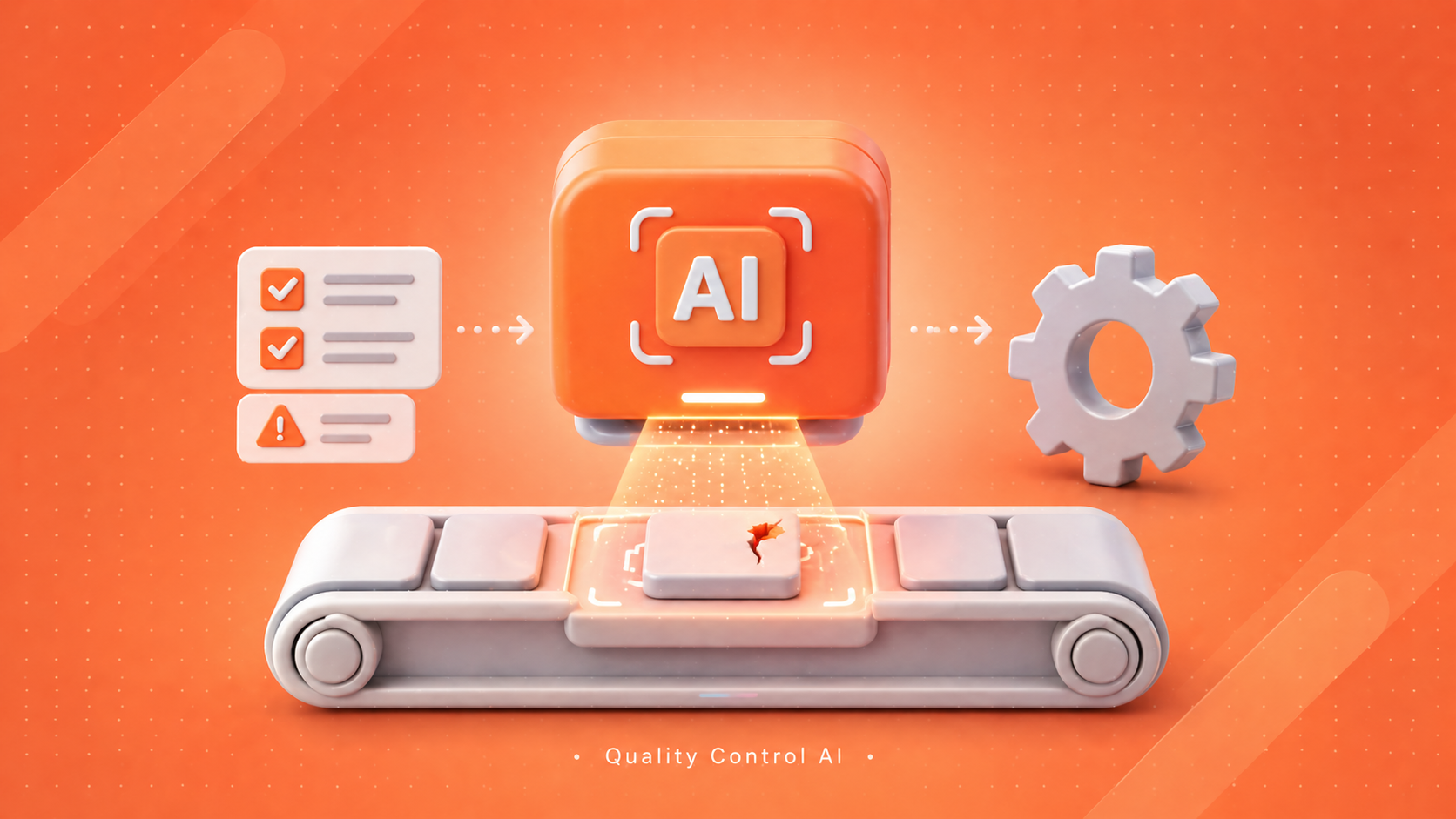
    Computer Vision in manufacturing is a perfect example and a cornerstone of automated inspection and efficient workflows. It pairs industrial cameras with deep learning models to inspect every part, every cycle, with consistent logic. Being AI experts, we understand how computer vision can significantly improve workflows and have created a detailed guide for you. 

    What is Computer Vision?

    Computer vision is a type of artificial intelligence that enables machines to interpret images and videos. It combines area-scan or line-scan cameras, structured lighting, edge GPUs, and trained convolutional neural networks (CNNs) or vision transformers. The model can identify scratches, cracks, dents, missing components, incorrect labels, barcode errors, weak seals, incorrect shapes, and alignment. 

    IBM’s research notes that vision models now match or exceed human inspectors on many surface defect tasks, while running 24/7 without fatigue. A production-grade vision setup usually runs on an edge device near the line. That cuts inference latency to under 50 milliseconds per part. The system then signals a PLC to reject, sort, or flag the unit. Cloud sync handles long-term storage, retraining, and dashboards.

    Benefits of Using Computer Vision in Manufacturing 

    Consistent Defect Detection

    When employees are exhausted, in a hurry, or distracted, quality inspection can become inconsistent. Manual results may also be influenced by lighting variations and high production rates. Nevertheless, AI quality control uses the same inspection rationale for each product. It measures surfaces, edges, dimensions, colors, labels, and assemblies with consistent results. Thus, defect detection AI assists manufacturers in minimizing missed defects, making judgments subjectively, and enhancing consistency in quality across shifts, lines, and production facilities.

    Full Traceability

    Traceability assists manufacturers in knowing all quality choices throughout the production and shipment stages. Inspection images, timestamps, defect types, batch information, product identification, and rejection justifications can be stored in a computer vision system. Thus, teams will have an opportunity to examine what has occurred without making assumptions. In case a customer complains of a defect later on, the factory can trace the product to its machine, shift, batch of material, or supplier. This audit trail is critical for ISO 9001, IATF 16949, and FDA 21 CFR Part 11 compliance.

    Predictive Maintenance

    Computer vision is not just about checking the completed products. It is also capable of tracking equipment, tools, belts, rollers, welds, moving parts, and machine surfaces. When cameras detect wear, leakages, misalignment, abnormal movement, or surface damage, the teams can take action before failure occurs. Thus, the production lines experience fewer abrupt halts. The predictive maintenance also assists the manufacturers in planning the repairs at the appropriate time, decreases the downtimes, and safeguards the output without having to wait until serious equipment failures occur.

    Automated Inspection

    Automated inspection assists factories in inspecting products without slowing production. As items go through the line, Industrial cameras capture at 60 to 1,000 frames per second. Then, AI models process those photos and indicate issues in real-time. This can facilitate greater manufacturing automation since inspection is now part of the regular workflow. Instead of repetitive visual inspections that are tiresome to perform, operators can prioritize improvement, exception management, and process control. 

    Real-Time Visibility

    The visibility in real time provides the leaders in the factories with a clear view of quality performance as the production occurs. Dashboards may depict the rate of defects, trends of rejections, machine failures, the accuracy of the inspection process, and the flow of products. Thus, the supervisors will be able to take action before minor problems develop into huge amounts of waste. Alerts in real-time also assist teams in correcting process mistakes within a brief period. Rather than finding out the quality failures at the end of a shift, manufacturers can rectify the problems in the running production process.

    6 Best Use Cases of Industrial Computer Vision

    Surface Defect Detection 

    Surface quality is important in such industries as automotive, electronics, packaging, medical equipment, metals, plastics, glass, and consumer goods. Scratches, stains, dents, cracks, bubbles, rust, chips, changes of color, and texture abnormalities can be identified as part of industrial computer vision. This is of particular use when products move rapidly or defects are found in small localities. Thus, visual inspection AI can assist teams in identifying defects earlier and avoiding sending damaged products to customers.

    Assembly Verification

    Errors during assembly can be costly since a single lost or misplaced component can have an impact on the entire product. Computer vision can be used to verify the presence of screws, clips, connectors, wires, seals, caps, labels, and components, and their proper placement. It is also able to make comparisons of the product to a standard image or design requirement. Consequently, the AI for defect detection reduces rework, avoids incomplete products passing through the production line, and enhances reliability in the production line of high complexity.

    Packaging Inspection

    Inspection of packaging safeguards the safety of the products and the experience of the customers. Computer vision can verify the state of cartons, the quality of seals, the level of filling, the location of labels, the position of caps, the printed codes, date marks, and the position of the product. This will assist manufacturers in identifying damaged packs, missing inserts, incorrect labels, and poor seals before shipment. The errors in packaging may lead to returns, compliance issues, and damage to brands. Thus, automated packaging inspections generate high value towards the end of the production cycle.

    Dimensional and Conformance Inspection

    Certain products have to conform to specific size, shape, spacing, and alignment criteria. Computer vision has the ability to check length, width, height, angles, holes, edges, gaps, and contours without handling the item. The inspection is a non-contact inspection that is applicable to delicate parts and fast-moving production lines. It also assists manufacturers in being confident that each product is designed as per specifications. So, dimensional inspection enhances accuracy, decreases the delays caused by manual measurements, and assists with a higher level of compliance in regulated manufacturing settings.

    Label, Barcode, and Seal Checks

    Mislabeling of products and illegible barcodes can generate serious traceability issues and compliance issues. Computer vision can check label location, printed text, QR codes, barcodes, batch numbers, expiry dates, and seal condition. It is also able to identify any missing labels, tilted labels, smudged print, and damaged codes. This is significant in food, pharmaceuticals, electronics, cosmetics, and consumer products. Thus, vision systems can be used as a measure that would protect distribution accuracy and minimize quality failures in shipments.

    AI-Powered Quality Assurance

    AI-powered quality assurance connects inspection results with smarter factory decisions. It does not just discard bad products. It also categorizes types of defects, patterns, and risk areas and assists the teams in learning about the behavior of the process. Thus, computer vision quality control benefits are reduced scrap, reduced returns, enhanced compliance, expedited root-cause investigation, and improved process learning. As time goes on, quality teams may employ visual information to enhance production rather than merely respond to issues.

    Not sure if your stack is ready for production AI?

    Six steps look clean on paper. In practice, most in-house teams ship the model and stall on integration, drift, and retraining. Book a discovery call with Pinnasys’s AI consulting team to scope your deployment.

    Step-by-Step Process to Deploy AI Quality Control in Manufacturing 

    Choose an Inspection Problem

    The first step is choosing a clear inspection problem. Manufacturers must not attempt to automate all quality checks simultaneously. Instead, they ought to identify a single issue that generates actual cost, delay, waste, or customer dissatisfaction. This can involve surface scratches, missing parts, inadequate seals, misplaced labels, or improper assembly. A focused start makes implementing vision AI in factories easier to manage and measure. It also assists teams in demonstrating value prior to extending the system to additional lines or products.

    Define the Defect Classes

    Once the inspection problem has been selected, teams need to specify the classes of defects in a concise manner. As an example, a surface inspection project can comprise such classes as scratch, dent, crack, stain, chip, discoloration, and acceptable mark. Such definitions need to be easily comprehensible by engineers, operators, and quality teams in the same terms. Clarity enhances the labeling of images and model precision. AI for defect detection works best when the system learns from well-organized examples with consistent rules.

    Collect and Prepare Training Data

    Successful AI quality control is based on strong training data. Teams must gather pictures of actual production situations, not just confined to test settings. The dataset must consist of good products, defective products, various lighting conditions, angles of the products, material changes, and the levels of defects. Thereafter, all images should be marked properly. Bad data may result in spurious notifications or overshoot flaws. Good data will assist the model to work reliably on the real production line.

    Train and Validate the Model

    Engineers train a CNN architecture (ResNet, EfficientNet) or a vision transformer (ViT, Swin) on the labelled dataset. Use a hold-out validation set that the model has never seen. Track four metrics:

    • Precision: of all flagged defects, how many were real
    • Recall: of all real defects, how many were caught
    • False reject rate: good parts wrongly flagged as defective
    • Inference latency: milliseconds per image at production resolution

    Aim for recall above 98% on safety-critical defects. Precision targets depend on the cost of false rejects. Validation must use real production images, not curated test sets.

    Integrate with the Production Workflow

    The computer vision model becomes helpful when it is linked to the production workflow. Cameras, lights, edge devices, PLCs, rejection systems, operator screens, dashboards, and quality databases need to cooperate. Gartner Peer Insights defines machine vision software as that which aids in visual inspection, including defect detection, recognition, measurement, and classification. Appropriate integration assists in initiating immediate responses, including alerts, product rejection, or process adjustments.

    Monitor and Improve

    A vision system should be monitored on a regular basis once deployed. Changes in the production conditions are due to the appearance of new suppliers, materials, lighting, equipment settings, product designs, and defect patterns. Thus, the teams should examine model performance, check the false results, and retrain the system when necessary. This makes the defect detection AI accurate throughout the time. Constant improvement also assists in lessening false alarms, enhancing yield, and enhancing trust in the operators. A good system can be improved when more helpful inspection data is made available.

    The Bottom Line

    Computer vision in manufacturing has moved past pilots. It now runs production lines for defect detection, assembly checks, packaging validation, dimensional inspection, and predictive maintenance. The factories getting real ROI share a pattern: they pick one defect that costs real money, build clean data, integrate with the MES, and treat the model as a living system that needs retraining. The hype is loud. The work is unglamorous. Pinnasys partners with manufacturers to do that unglamorous work well, from data collection through MLOps. To map your highest-value inspection use case, explore Pinnasys’s AI for manufacturing or book a discovery call with our team.

    Key Takeaways from the Article

    • Vision AI inspects 100% of parts at line speed with consistent logic.
    • Surface defect, assembly, and packaging checks deliver the fastest payback.
    • Edge inference keeps latency under 50 ms per part on real lines.
    • Production success depends on labelled data, MES integration, and MLOps.
    • Continuous retraining handles drift from new materials, lighting, and tools.

    Frequently Asked Questions About Computer Vision in Manufacturing

    What is the difference between AI visual inspection and machine vision?

    Conventional machine vision typically has predetermined rules and algorithmic thresholds. Since it learns by using the data of images, AI visual inspection can be more flexible in handling more variation, complex defects, changing surfaces, and real-world production conditions.

    Why can computer vision outperform manual inspection in some tasks?

    Computer vision is able to scan and examine all products at high speed without exhaustion and loss of concentration. It is more appropriate in repetitive, detailed, and high-volume checks where a manual check can become inconsistent over time.

    Which KPIs are most important in manufacturing inspection deployment?

    Important KPIs include detection accuracy, false rejection rate, false acceptance rate, inspection speed, scrap reduction, rework reduction, downtime impact, and customer return rate. These measures indicate the actual value of production.

    Can computer vision help beyond defect detection?

    Yes, computer vision can be used to support predictive maintenance, safety monitoring, inventory checking, assembly checking, barcode reading, packaging checking, process monitoring, and traceability. It has a value that spans numerous factory activities.
  • AI Data Pipelines – How to Build a Data Pipeline Architecture for AI?

    AI Data Pipelines – How to Build a Data Pipeline Architecture for AI?

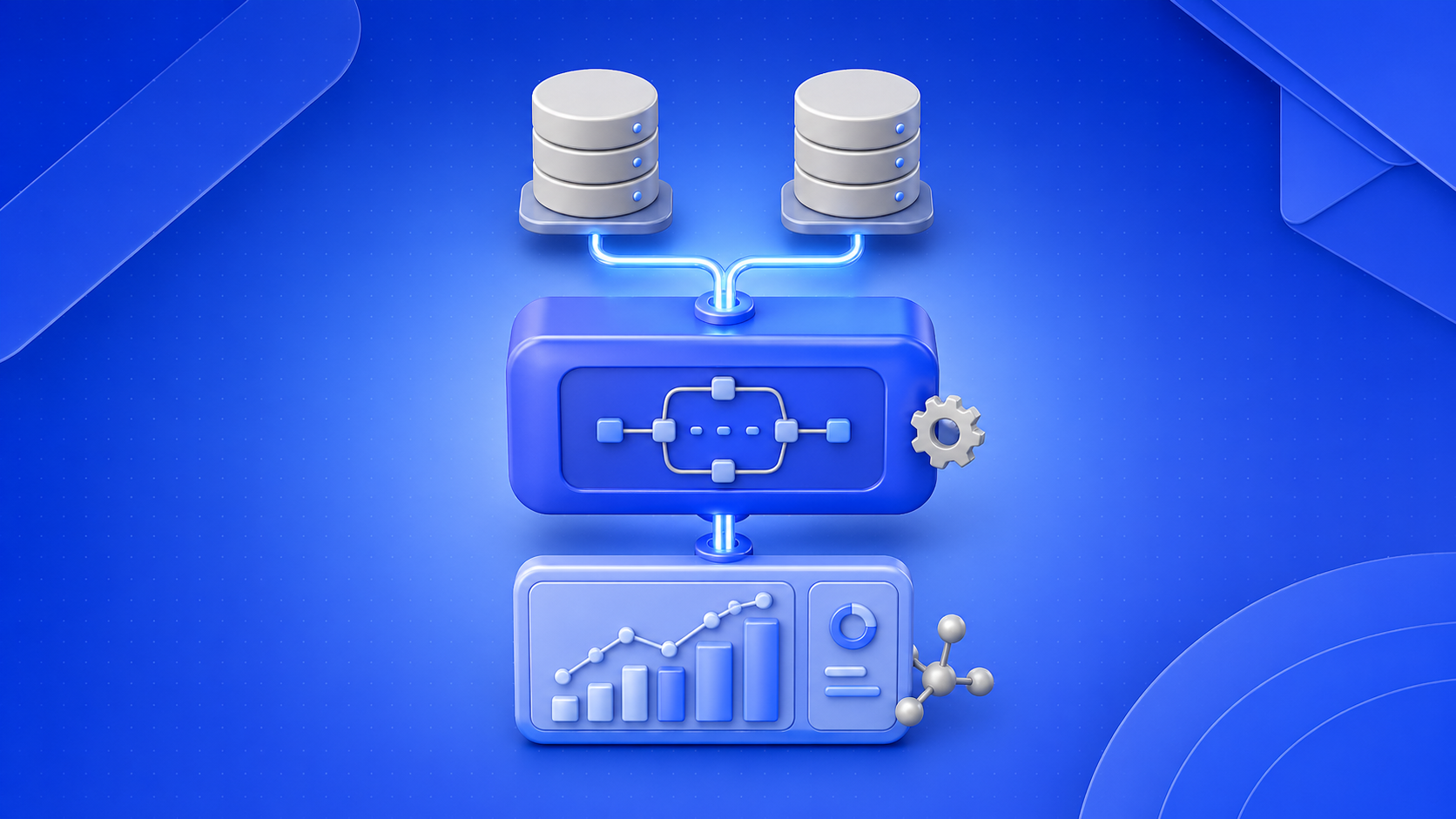
    An AI data pipeline is a system that collects, processes, and delivers data for machine learning models. It supports both training and real-time predictions while handling structured and unstructured data. A well-designed pipeline ensures accuracy, scalability, and consistent AI performance in production.

    AI often feels like magic, whether it generates recipes, answers complex questions, or mimics human conversation. Behind every intelligent output lies data, processed through sophisticated algorithms trained at scale. High-quality results depend on how well data gets collected, prepared, and delivered. 

    Studies suggest data preparation alone can take up to 80% of an AI project’s time. This entire flow runs through AI data pipelines. As AI moves from experimentation to real-world use, pipelines become the difference between models that work in theory and systems that perform in production. 

    What is an AI Data Pipeline?

    An AI data pipeline is a structured system that collects, processes, transforms, and delivers data to machine learning models for training, evaluation, and real-time predictions. It connects multiple stages of data ingestion, cleaning, storage, feature engineering, model input, and monitoring into a continuous workflow. 

    AI Data Pipeline vs Traditional ETL Pipeline

    FeatureAI Data PipelineTraditional ETL Pipeline
    PurposePowers machine learning training and real-time predictionsPrepares data for reporting and analytics
    Data TypesHandles structured and unstructured data (text, images, logs)Primarily handles structured data
    Processing StyleSupports both batch and real-time processingMostly batch processing
    WorkflowIncludes data ingestion, transformation, feature engineering, and model integrationFocuses on extract, transform, and load steps
    Feedback LoopContinuous feedback and model retrainingLimited or no feedback loop
    OutputModel-ready data and prediction outputsClean, structured datasets for dashboards
    FlexibilityAdapts to changing data and model requirementsFollows predefined, static workflows
    ComplexityHigher due to model dependencies and real-time needsLower compared to AI pipelines
    Use CasesRecommendation systems, fraud detection, NLP, and computer visionBusiness intelligence, reporting, data warehousing

    Types of AI Data Pipelines

    Batch AI Pipelines

    AI pipelines operating in batches execute a massive amount of data on a time basis, such as every hour, every day, or every week. This is applicable where immediate output is not needed, where there is a need for analyzing historical data, creating models, etc. 

    Many of the ML models that use batch-based approaches to develop accurate patterns on the available historical data are relatively efficient and stable for structured, anticipated loads. They can be found in tasks such as training models, generating reports, etc.

    Real-Time AI Pipelines

    Real-time AI pipelines perform processing on the data as it is ingested. They generate results very quickly to allow real-time decision-making and insights. It is crucial for real-time pipelines that they deliver results immediately, as decisions are affected by event timings. Examples include fraud detection, recommendation engines, and live monitoring.

    Such pipelines depend on low-latency infrastructure and efficient data streaming capabilities. Efficient monitoring tools are required in real-time applications for maintaining the quality and avoiding disruptions. Scale also emerges as a factor as the volumes and velocity of data increase.

    Hybrid AI Pipelines

    A hybrid AI pipeline uses batch and real-time data processing to strike a balance between speed and accuracy. The historic data is used to train the models in batches, and then the real-time data updates predictions as new data becomes available, providing both context and immediacy.

    The hybrid pipeline type is a flexible and scalable solution for various use cases and allows teams to maintain a good level of accuracy with fast predictions for production environments. Hybrid models provide the most pragmatic approach to advanced AI systems.

    Retrieval-Augmented Generation (RAG)

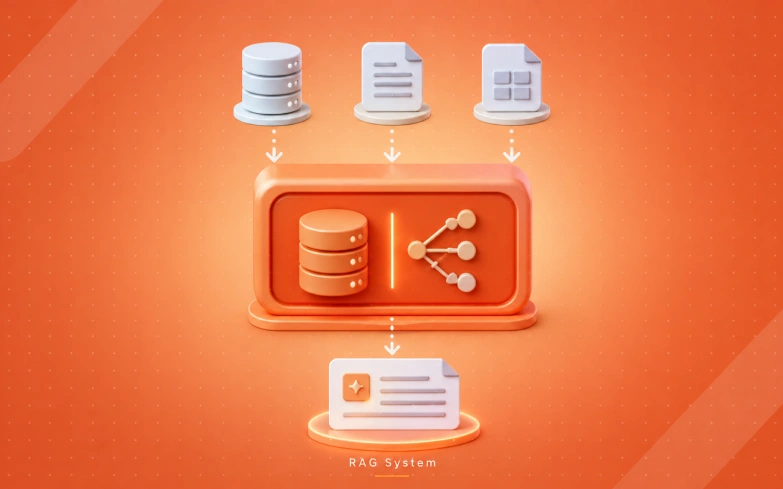
    Retrieval Augmented Generation pipelines combine AI models with an external data retrieval component. During the execution time, the AI model can retrieve external and timely updated data sources (databases and knowledge bases). This allows significant improvement in the accuracy and relevance of the response.

    Most present AI service providers use RAG solutions to generate more accurate and contextualized responses. They are particularly suited for chatbots, search agents, and knowledge retrieval systems. RAG pipelines also mitigate hallucinations by providing grounding for the generation.

    Want a RAG-based AI data pipeline for your business?

    Pinnasys holds an in-depth expertise in RAG development and integration. Our AI experts can help you understand, build, and implement an effective AI pipeline architecture.

    How to Build an AI Data Pipeline Architecture?

    1. Data Ingestion

    Data ingestion brings information from multiple sources into the pipeline, such as APIs, databases, logs, or streaming platforms. The goal is to collect data reliably while handling different formats and volumes without loss.

    A simple ingestion example using Python and an API:

    import requests
    
    import pandas as pd
    
    url = "https://api.example.com/data"
    
    response = requests.get(url)
    
    data = response.json()
    
    df = pd.DataFrame(data)
    
    print(df.head())

    This step should ensure fault tolerance, scalability, and support for both batch and streaming inputs.

    2. Data Processing & Transformation

    Raw data includes non-numeric values, errors, or missing entries, which need to be cleaned before their usage. Data cleaning involves preparing data to be used for machine learning tasks by transforming data or doing feature engineering.

    Example of basic data cleaning:

    df = df.dropna()  # remove missing values
    
    df['price'] = df['price'].astype(float)
    
    df['date'] = pd.to_datetime(df['date'])
    
    # Feature engineering
    
    df['day_of_week'] = df['date'].dt.dayofweek

    Well-structured transformation ensures that models receive consistent and high-quality inputs.

    3. Raw Storage / Data Lake

    After ingestion, data is stored in a centralized system such as a data lake or warehouse. This storage layer keeps both raw and processed data for future use, retraining, and auditing.

    Example of saving processed data:

    df.to_csv("processed_data.csv", index=False)

    Modern pipelines often use cloud storage solutions to enable scalability, durability, and easy access across systems.

    4. AI/ML Training

    In this phase, the processed data is employed to train machine learning models, including train-test splitting and feature selection & evaluation.

    Example using a simple model:

    from sklearn.model_selection import train_test_split
    
    from sklearn.ensemble import RandomForestClassifier
    
    X = df.drop("target", axis=1)
    
    y = df["target"]
    
    X_train, X_test, y_train, y_test = train_test_split(X, y, test_size=0.2)
    
    model = RandomForestClassifier()
    
    model.fit(X_train, y_train)
    
    print("Model trained successfully")

    Model quality depends heavily on the consistency and relevance of the data provided in earlier stages.

    5. Deployment

    Once trained, the model is deployed so it can serve predictions in real-world applications. This is often done through APIs or microservices.

    Example using a simple API with Flask:

    from flask import Flask, request, jsonify
    
    import pickle
    
    app = Flask(__name__)
    
    model = pickle.load(open("model.pkl", "rb"))
    
    @app.route("/predict", methods=["POST"])
    
    def predict():
    
        data = request.json
    
        prediction = model.predict([data])
    
        return jsonify({"prediction": prediction.tolist()})
    
    app.run(debug=True)

    Deployment should focus on scalability, low latency, and reliability in production environments.

    6. Monitoring and Optimization

    After deployment, continuous monitoring ensures the pipeline and model perform as expected. This includes tracking accuracy, detecting data drift, and retraining models when needed.

    Example of simple performance tracking:

    from sklearn.metrics import accuracy_score
    
    y_pred = model.predict(X_test)
    
    print("Accuracy:", accuracy_score(y_test, y_pred))

    Optimization involves improving data quality, updating models, and refining pipeline components over time to maintain performance.

    AI Data Pipeline Best Practices 

    Automate Data Quality Checks

    Poor data results in a bad-quality model; thus, automation validation must be embedded at all pipeline levels. Check for missing values, schema conflicts, and anomalies to block bad data before feeding it to models.

    Automation reduces the amount of manual work, but it guarantees the consistency of huge amounts of data. Continuous validation helps us find the errors in earlier stages to prevent risks in production systems and also build confidence in the output of the model.

    Minimize Data Movement

    Transferring data between several systems makes the pipeline costly, complex, and time-consuming. However, by moving processing close to the data source, one reduces unnecessary movement of data, which helps improve efficiency. 

    Minimizing data movement is also a step toward consistent data between systems. That said, a well-optimized pipeline minimizes the cost of infrastructure while running the operation in place when applicable.

    Preserve Lineage and Metadata

    Data lineage tracks where data originates and how it changes throughout the pipeline. This visibility is essential for debugging, auditing, and maintaining trust in AI systems. Clear lineage also helps identify issues faster across complex workflows.

    Metadata tells us about datasets, features, and transformations applied to the model. Tracking correctly also means that we can reproduce what happened, and teams know how a decision was reached. Additionally, governance and compliance processes are eased.

    Plan for Feedback from Day One

    AI systems improve over time through feedback collected from real-world usage. Designing pipelines to capture this feedback early helps refine models and improve accuracy. Early planning ensures feedback is structured and usable for retraining.

    Feedback loops enable continuous learning and adaptation to changing data patterns. This ensures that models remain relevant and effective in dynamic environments. Early feedback integration also reduces rework later in the lifecycle.

    Design for Change

    The requirements of an AI pipeline change not only due to changes in data sources but also due to changes in models and business processes. A rigid pipeline can quickly become outdated and costly to maintain, whereas a flexible design allows smoother integration of future technologies without expensive redesigns.

    Such a flexible and modular design enables components to be added/modified without impacting the other components of the system. This increases the long-term viability and scalability of the infrastructure. Flexibility in the pipeline designs aids in more rapid prototyping.

    The Bottom Line

    AI data pipelines underpin every successful machine learning system; they ensure the smooth flow of data from its source to the model and ultimately into production. In fact, any ML algorithm, regardless of its sophistication, will only be as good as the pipeline that feeds it.

    Pinnasys offers AI automation services to develop AI data pipelines that are robust, scalable, and suitable for production environments. We will aid you in accelerating data engineering efforts and enhancing pipeline performance while ensuring future-proofing for changes in data and models.

    Key Takeaways from the Article

    • AI data pipelines move data from source to model, enabling training and real-time predictions.
    • A strong pipeline includes ingestion, processing, storage, training, deployment, and monitoring.
    • Best results come from clean data, minimal movement, and flexible, scalable design.

    Frequently Asked Questions About AI Data Pipelines

    What is training-serving skew, and how does it break AI pipelines in production?

    Training-serving skew happens when the data on which you trained your model and the data that you are serving the model with in production are different. If the data that you are serving your model on has different patterns that you did not train your model on, the accuracy of the prediction will suffer and eventually become unreliable.

    Why do most AI pipeline projects fail before reaching production?

    Bad quality data, messy architectures, and not enough monitoring are the main reasons behind failing AI pipelines. The systems aren’t real-time or scalable enough; feedback is absent, so learning and improving systems aren’t occurring, and switching from experimentation to production becomes difficult.

    Can AI data pipelines handle unstructured data like text, images, and logs?

    The core function of AI data pipelines is to deal with unstructured data such as text, images, logs, etc. They transform this raw data into a useful structured format through dedicated algorithms such as natural language processing, computer vision, etc., so that machine learning models can use this data.

    What is the role of a feature store in an AI data pipeline?

    A feature store is a data store that accepts ML features, where ML features are ingested, stored, and curated. Feature stores are key to bridging the gap between training and production data and enable feature reuse to speed up development.

    How much does it cost to build and run an AI data pipeline?

    The cost of building and running an AI data pipeline depends on data volume, infrastructure, and complexity. Expenses include storage, compute resources, and maintenance. Simple pipelines cost less, while large-scale, real-time systems require higher investment to ensure performance, scalability, and reliability.

  • AI Readiness Assessment: Is Your Organization Ready for AI?

    AI Readiness Assessment: Is Your Organization Ready for AI?

    An AI readiness assessment evaluates whether your data, infrastructure, governance, ethics, and capabilities can support production AI. Real readiness is per use case, decided by data fitness, integration depth, named ownership, and unit economics. Skipping this diagnostic is the most expensive shortcut SMB AI projects take.

    According to Stanford’s 2025 AI Index, four out of five organizations now use AI in some capacity. Yet only a fraction can point to measurable bottom-line impact. That shortfall rarely traces back to the model itself. More often, it traces to a readiness gap that surfaced in month four, long after contracts were signed and budgets allocated.

    A comprehensive AI readiness assessment is the diagnostic that surfaces those gaps early, while they remain inexpensive to fix. Especially for startups weighing their first serious AI investment, the assessment is closer to self-protection than to a procedural step. Let’s start with understanding what AI readiness actually means and see what comes around!

    What is an AI Readiness Assessment?

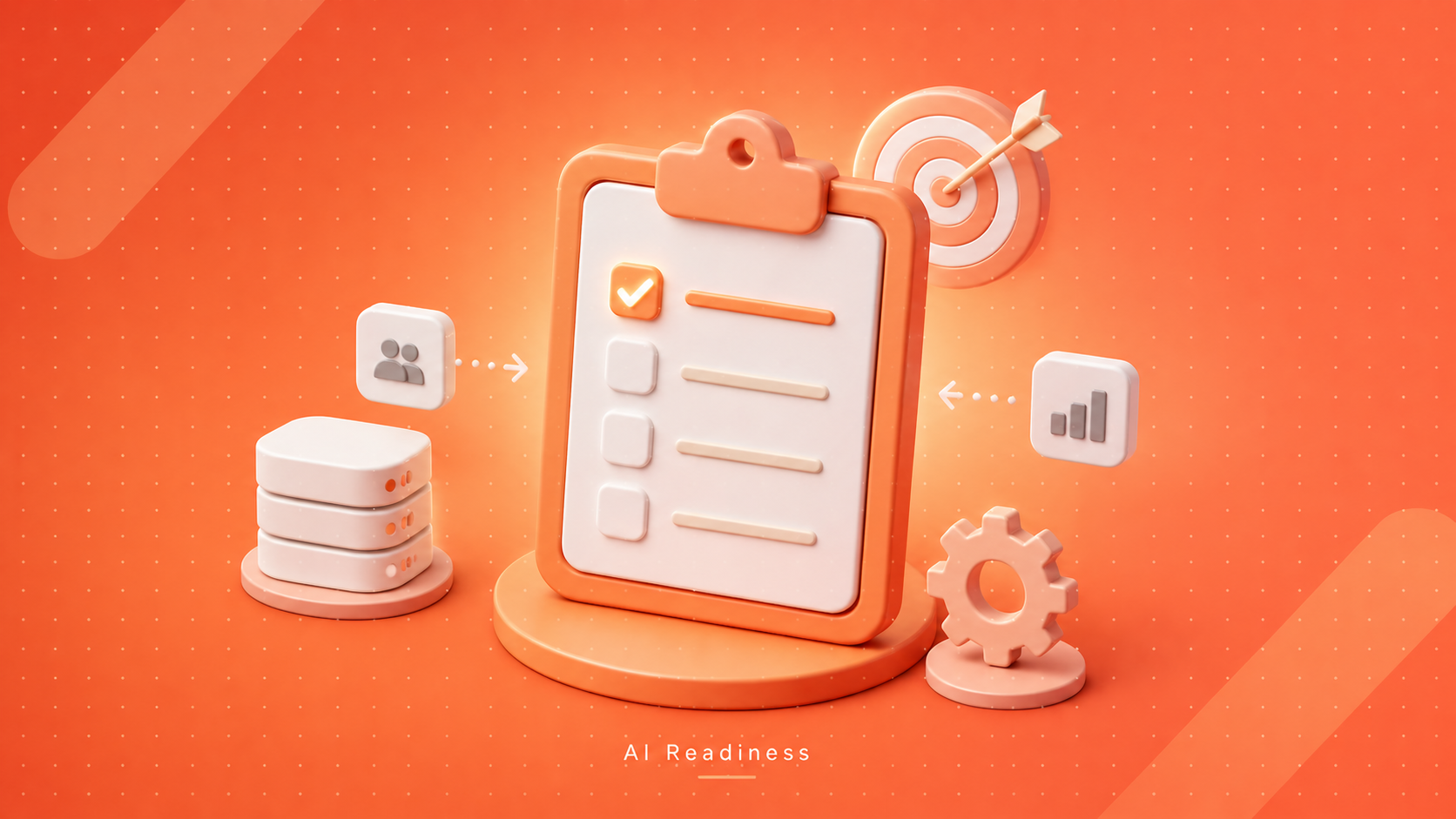
    An AI readiness assessment is a structured diagnostic that evaluates whether an organization can deploy and operate AI in production conditions. It measures the operational substrate beneath any proposed use case. At a glance, the assessment includes data quality, integration surface, governance posture, and the human capacity to keep the system reliable after launch.

    AI Readiness Index

    You will encounter the term “AI Readiness Index” in vendor literature, and it warrants careful interpretation. An index can benchmark your organization against industry peers. The methodology, however, has structural limits. Composite scores aggregate across categories.

    As a result, a 6.4 on a 10-point scale could conceal radically different realities. One organization might have excellent data infrastructure paired with absent governance. Another might present the inverse. Both score identically, yet only one can ship AI next quarter. Treat an index as a conversation starter, not a verdict.

    What Does It Actually Measure?

    If we keep aside consultant vocabulary, a credible readiness assessment evaluates four dimensions. Each one is independent, and any one of them failing in isolation can sink the project.

    • Data fitness: Can your data answer the question the AI is being asked? Volume, freshness, and labeling quality must support the modeling approach.
    • Process absorption: Whether the workflow downstream of the AI can ingest its outputs without manual reconciliation or violation of existing system contracts.
    • Operational ownership: Who, with bandwidth and authority, will own the system after launch?
    • Unit economics: Do inference, retraining, integration, and governance costs leave a meaningful margin against the value created?

    Types of AI Readiness Models

    Foundational AI Readiness

    Foundational readiness establishes the precondition for any AI work. It verifies that three structural elements are in place before development begins. First, data must reside in identifiable systems of record with clear operational ownership. Second, the organization must possess at least one practitioner capable of translating between business outcomes and technical implementation. In last, leadership must accept a defined learning curve before measurable returns materialize.

    Operational AI Readiness

    Operational readiness governs the health of AI after it reaches production. The questions are sharper. Can you detect model drift before customers report it? Is there a tested rollback procedure? Does a named individual carry incident response authority? Most organizations stumble here, deferring monitoring to a sprint that never materializes until accuracy quietly degrades by week six.

    Transformational AI Readiness

    Transformational readiness applies in a rarer scenario: when AI begins reshaping how the business creates value, not merely automating discrete tasks. The questions move from technical to organizational. Are decision rights configured to let AI inform consequential choices? Is the business model ready to capture the productivity gains? Few organizations need this on day one.

    AI Readiness Based on Five Pillars of Evaluation

    Infrastructure

    Infrastructure is the technical substrate on which AI runs, including compute, storage, networking, and the connective tissue between AI and existing systems of record. Despite vendor framing, you do not need a hyperscale data center to be AI-ready. You need a stack that can serve inference at acceptable latency, retain the data the model depends on, and integrate with downstream consumers. For most SMBs, hosted model APIs paired with managed vector databases satisfy this at a sensible cost.

    AI-Ready Content

    Most organizations possess substantial data assets, yet far fewer possess content that an AI system can usefully consume. AI-ready content is structured, labeled, current, and exposed through interfaces that the model can query, whether via an API, a vector store, or a curated retrieval layer. A retrieval-augmented generation (RAG) system grounded in fifty unparsed PDFs hallucinates confidently. The same architecture, grounded in five thousand well-structured chunks, performs reliably. The data did not change. The readiness did.

    AI Governance

    Governance is the pillar most teams defer until something goes wrong, at which point it becomes the only topic anyone wants to discuss. It addresses who has authority to deploy AI, who reviews its outputs, what data the system can access, and how incidents are managed. A workable framework needs four operational components: a named accountable owner per system, a documented review process for outputs that affect customers or financials, an auditable interaction log, and a defined incident response path.

    Ethical Foundation

    Ethics in AI remains abstract until the first complaint arrives, whether in your support inbox or in regulatory correspondence. The underlying questions are concrete and answerable in advance. Is the AI making decisions that disadvantage particular groups in measurable ways? Is the system transparent about its non-human nature? Do you have legitimate rights to use the data the model consumes? For most SMBs, this fits on a single page covering bias testing, transparency, and consent.

    AI Capabilities

    Capabilities address the human dimension, and this is where SMB AI ambitions most reliably outpace organizational reality. The honest test is whether someone in your organization understands prompt design, evaluation methodology, and the gulf between a working demo and a production-reliable system. You do not need a twenty-person team. You do need at least one technically credible practitioner, paired with a business owner who understands the workflow being augmented. Familiarity with consumer AI tools is not the same as having shipped production AI.

    Skipping the readiness check is the most expensive shortcut SMB AI projects take.

    Pinnasys runs the assessment in two to four weeks. Book a discovery call before you commit to the budget.

    AI Infrastructure Requirements

    Of the five pillars, infrastructure receives the most attention in early conversations. It is concrete, and vendors anchor their pitches there. The discipline worth applying is to break infrastructure into its four constituent layers and evaluate each on its own terms. The table below maps each layer to its function and to the shortcut that most predictably backfires.

    LayerWhat it doesCommon shortcut that backfires
    ModelPerforms inference on each inputSelecting the cheapest model without testing on real data
    DataSupplies the model with relevant, current contextPointing AI at raw databases without normalization
    IntegrationConnects AI to systems of recordValidating in isolation, then hitting limits at launch
    MonitoringTracks performance, drift, and incidentsTreating it as a phase 2 deliverable

    Model Layer

    The model layer is where inference is physically executed. For most SMBs, this resolves to a hosted API call to a frontier provider like OpenAI or Anthropic, or to a managed open-source deployment. The relationship is rental, not ownership. The decision worth attention is which model satisfies your latency, cost-per-token, and accuracy requirements under your actual workload, not which one wins on benchmarks.

    Data Layer

    The data layer encompasses pipelines, vector databases, and refresh schedules that supply the model with current context. This layer breaks more frequently than any other. A team ships a RAG system with a one-time data load and no refresh cadence. Six months later, it answers against stale source material, and customer trust erodes. Specify a refresh cadence as a launch requirement, not an enhancement.

    Integration Layer

    Integration is the connective tissue between AI and the operational environments where work happens, from CRMs and ERPs to support platforms and internal knowledge bases. This is where production AI most commonly unravels. The AI performs well in a controlled demo, then meets the production CRM with its fourteen custom fields and three legacy integrations. McKinsey’s 2024 State of AI found 70% of high performers had hit data and integration difficulties at scale.

    Monitoring Layer

    Monitoring is the layer most teams defer in planning, and by week six, most regret it. It comprises logging, scheduled evaluation runs against fixed test sets, drift detection, and alerting when behavior diverges from launch baselines. A serviceable floor includes three things: log every input and output, execute weekly evaluation suites, and alert when accuracy or latency exceeds predefined bounds.

    Questions to Consider in the AI Readiness Checklist

    Most readiness checklists comprise sixty or more questions, the majority serving the issuing vendor’s discovery process more than your clarity. The list below distills the assessment to its decision-relevant essentials. Answer all ten with specificity for a use case, and the project is genuinely ready.

    • Where does the data the AI requires reside, and who owns it operationally today?
    • What is the measured error rate in that source data?
    • Which system or person consumes the AI output, and what is their next action?
    • Who reviews edge cases and adjudicates ambiguous outputs, and how much bandwidth do they have?
    • What is the maximum acceptable cost per inference or task?
    • Who is the named accountable owner once the system is live in production?
    • What is the documented rollback procedure if the AI begins producing bad output?
    • How will model drift be detected before a customer or auditor surfaces it?
    • Does the use case involve a sensitive decision that requires human review under policy?
    • What is the success metric, expressed in measurable units rather than aspirational language?

    Ten questions, no padding. Where three or more lack precise answers, the project is not yet ready for build. That outcome is a feature of the assessment, not a setback.

    The Bottom Line

    An AI readiness assessment is neither a procedural hurdle nor a slide for the next board deck. It is the most cost-effective way to learn whether a use case will survive production. The check should be made before serious capital is committed, not after. The five pillars of infrastructure, content, governance, ethics, and capabilities operate independently.

    Any one of them can sink an otherwise promising project. Most readiness failures are visible in hindsight and avoidable in foresight. That is precisely why the assessment belongs at the start of the engagement. At Pinnasys, we conduct readiness reviews before proposing any build. Our AI consulting services team can map a readiness review to your use case.

    Key Takeaways from the Article

    • Readiness is a per-use-case question, not a single company-wide grade.
    • Foundational, operational, and transformational readiness solve different deployment problems.
    • The five pillars cover infrastructure, content, governance, ethics, and capabilities.
    • Most AI failures occur during integration and monitoring, not in the model itself.
    • A use case without a named operational owner is not yet a production system.

    Frequently Asked Questions About AI Readiness Assessment

    How long does an AI readiness assessment usually take?

    A focused readiness assessment for a single use case typically takes two to four weeks. Broader assessments across multiple business functions can take 6 to 8 weeks. Timelines depend mostly on data access and stakeholder availability for interviews.

    Can a small business be AI-ready without a dedicated data team?

    Yes, particularly when the use case is narrow, and the data lives in one or two systems. Small businesses often outperform larger ones in terms of readiness because their data is less fragmented and decision rights are clearer.

    What is the difference between AI readiness and digital transformation?

    Digital transformation describes broad organizational change across systems and processes. AI readiness operates at a narrower scope. It asks whether a specific organization can deploy and operate AI for one defined job under current constraints.

    Should we assess readiness before or after selecting a vendor?

    Before, without exception. Selecting a vendor first locks the engagement into their assumptions about your data and workflows. A vendor-neutral assessment surfaces real constraints early and consistently produces better vendor fit later.

  • Generative AI Use Cases – 10 Real-World Enterprise Applications

    Generative AI Use Cases – 10 Real-World Enterprise Applications

    Gartner and McKinsey show that organizations are rapidly investing in generative AI. Yet many projects stall before delivering value. The problem is rarely the model. It is execution. Understanding the right use cases can help businesses deploy AI with clearer ROI and fewer costly mistakes.

    Walk into almost any AI conversation right now, and you will hear the same story. The proof of concept worked brilliantly. Leadership got excited, budgets moved, and then the production rollout quietly missed its window. McKinsey estimates generative AI could add $2.6 trillion to $4.4 trillion annually to the global economy, yet only 39% of organizations report any EBIT-level impact.

    That gap lives in the deployment layer, not the model layer. The failures can be mitigated if an organization has a clear understanding of where to utilize the generative AI. Considering real-world insights, we have created a list of generative AI use cases to help you evaluate where AI creates the strongest ROI. Before we jump to the list, let’s see why AI deployments actually stall!

    Why Most Enterprise AI Deployments Stall Before They Scale?

    Every pilot eventually meets the same wall. The demo runs cleanly in a controlled environment, then breaks the moment it touches messy production data. Gartner projects that by 2026, more than 80% of enterprises will have deployed generative AI in production, up from less than 5% in 2023.

    Across teams that actually get there, the pattern is consistent: four architectural elements treated as non-negotiable from day one.

    • Grounding through RAG or vector databases, so outputs reflect your data, not generic training.
    • Orchestration that sequences tasks, calls tools, and routes outputs across systems.
    • Guardrails for output validation, confidence scoring, and audit logging.
    • Integration through live API connections to CRM, ERP, and communication layers.

    Skip any one, and the system becomes a liability. Build all four in, and it becomes infrastructure.

    10 Generative AI Use Cases Proven in Enterprise Environments

    1. Conversational AI for Customer Support Automation

    Customer support is where generative AI delivers the cleanest ROI for the business. An LLM grounded in your product knowledge, integrated with your helpdesk and CRM, resolves most inbound queries without escalation. Genuinely ambiguous cases still reach humans, but with full context already gathered.

    Companies experience significant operational changes. Support teams stop spending the majority of their day on repetitive queries and start focusing on the interactions that actually require human judgment. As the system absorbed the exhausting volume, it dropped the response times, handled the cost fall, and improved the customer experience.

    2. Intelligent Document Processing and Extraction

    Contracts, invoices, claims, and loan applications generate a volume of unstructured paperwork that no human team was built to handle at scale. Generative AI reads these documents in seconds, extracts structured fields, classifies content by type, and routes outputs to the right downstream system.

    Loan processing collapses from days to hours when document checks run through an AI layer instead of an analyst queue. Beyond finance, the same architecture supports legal contract review, insurance claims, and healthcare prior authorization. The underlying problem is identical across all of them.

    3. AI-Powered Sales Intelligence and Lead Enrichment

    Stale CRM data costs sales teams more in wasted cycles than most businesses bother to track. Generative AI sitting on an enrichment pipeline that pulls from dozens of live sources turns that liability into an edge. One B2B sales intelligence company achieved 95% data accuracy in real time after Pinnasys built an AI enrichment layer over their existing pipeline.

    Lead-to-contact time dropped by 40% as a direct result. On top of that, reps stopped chasing dead ends and started closing. The pipeline quality shift was visible inside the first month, not the usual multi-quarter sales horizon.

    4. Agentic AI for End-to-End Workflow Automation

    Agentic AI extends well beyond robotic process automation. Where RPA follows fixed rules and breaks on exceptions, agents reason through multi-step tasks and adapt without human intervention. In practice, a business can deploy specialized agents for sales follow-up, support triage, and admin operations.

    All the AI agents can be specifically scoped to your tools and polices. When running in parallel around the clock, they can eliminate hours previously spent on handoffs, status checks, and repetitive coordination.  What remains is a team focused entirely on work that actually requires human thinking.

    5. Enterprise Search and Institutional Knowledge Retrieval

    Years of meeting notes, wikis, contracts, and email threads sit locked in siloed systems that no one can effectively search. Enterprise search built on vector embeddings and RAG turns all of it queryable in plain language. A team member can ask, “What were the SLA terms we agreed with that client in March?” and pull the exact clause in seconds.

    Notably, this is the use case most often undervalued in ROI assessments. At scale, cutting knowledge retrieval time across hundreds of people compounds into significant productivity gains, all without disrupting any existing process.

    6. Demand Forecasting and Inventory Optimization

    Retail and e-commerce teams managing thousands of SKUs across seasonal and regional variation face complexity that rule-based forecasting cannot solve. Generative AI models trained on historical sales data, external market signals, and real-time behavioral patterns reduce both overstock and stockouts.

    Traditional methods cannot match that, especially when the model reasons across substitution effects between SKUs. For example, a retail technology client deploys forecasting models that automate the analytics reporting previously consumed by a dedicated team. The result? The build will become the foundation for additional AI initiatives within months, not years.

    7. AI-Driven Content and Marketing Automation

    Generative AI in marketing does considerably more than draft copy. The production version pulls live context from CRM segments, adapts tone for each channel, and feeds directly into automated publishing. Social media marketing SaaS companies can automate their full content pipeline through a single orchestration layer.

    For instance, trend discovery, script generation, video rendering, and scheduled posting all run autonomously. It can significantly reduce the content effort and save time on manual posting. Not only will it run the daily growth engine autonomously, but Generative AI can also increase engagement and conversation rates.

    8. Compliance Monitoring and Regulatory Reporting

    Regulatory obligations shift constantly. Manual compliance monitoring does not scale alongside that change without a high cost. AI systems that continuously read regulatory updates, map obligations to internal controls, and generate audit-ready reports handle this workload without adding headcount.

    For wealth management and financial services specifically, this extends into advisor workflows. Meeting briefings, live transcription, follow-up drafting, and CRM updates can all be automated through the same AI layer. Henceforth, time saved per advisor compounds across the business, and the risk of manual error drops considerably without sacrificing review quality.

    9. Predictive Lead Scoring and ICP Identification

    A poorly defined ideal customer profile is one of the quietest revenue drains in B2B. The cost shows up in wasted sales cycles rather than on any line item someone tracks. Generative AI combined with machine learning converts a static ICP into a continuously updated predictive scoring model.

    It pulls from live data, surfaces accounts genuinely ready to buy, and replaces the manual targeting most teams default to. If you explore our AI case studies, a B2B demand generation company saw lead quality triple, and sales efficiency rise 40% after we built this architecture. The pipeline shift showed up within weeks, not quarters.

    10. Personalized AI in Health and Fitness Technology

    Health and fitness applications use generative AI to produce genuinely personalized outputs at the individual level, at scale. Templated content has never managed that. Training plans, care recommendations, and dietary guidance are generated from biometrics, fitness history, and real-time feedback rather than from static plan libraries.

    You can deploy an AI engine that generates personalized training plans for both home and gym users. Not to mention, the data can be taken from each person’s biometric data and session history. It can help you reduce completion rates meaningfully and give users an experience like a real personal trainer, not a generic program.

    Have a generative AI use case that demoed well and stalled in production?

    Pinnasys runs a 30-minute architecture review that diagnoses where the deployment broke down and maps the shortest path to a working production system.

    The Architecture Table: What Separates Working Systems from Stalled Pilots

    Most enterprise AI failures trace back to architecture choices, not model selection. Below are the failure modes that surface when a pilot tries to scale, paired with the production-grade fixes that close each one.

    Failure ModeWhat It Looks Like in PracticeThe Production-Grade Fix
    No data groundingAI generates confident but factually wrong answersRAG pipeline connected to live internal data
    No system integrationOutputs sit in a chat window, disconnected from operationsAPI connections to CRM, ERP, and communication layers
    No output guardrailsHallucinations reach customers or compliance reviewValidation layers, confidence scoring, decision logging
    No governance frameworkNo audit trail, no version control, no rollback planMLOps processes built from day one
    Over-scoped single agentOne agent tries to handle everything and fails on complex tasksSpecialised agents per function, coordinated centrally
    No evaluation frameworkQuality drifts silently after launch with no early warningContinuous evaluation against real production traces

    Governance is not bureaucracy. It is what keeps the system running six months after launch, when edge cases start surfacing, and the original build team has already moved on.

    The Bottom Line

    Generative AI use cases have moved well past theory. They run inside sales teams, support operations, compliance functions, and content pipelines at every scale. The deployments that stick share one trait: they were built as infrastructure, not as features. Pinnasys designs and operates these systems for SaaS, fintech, healthcare, legal, retail, and logistics teams.

    From AI automation services that replace full manual workflows to agentic orchestration layers that coordinate end-to-end multi-system operations, the work is production-first. If you have a use case stuck in pilot, book a 30-minute discovery call, and we will tell you exactly what production deployment looks like for it.

    Key Takeaways from the Article

    • The deployment layer, not the model, is where most enterprise AI fails.
    • Conversational AI and document intelligence pay back fastest in production.
    • Agentic AI replaces multi-step workflows; RPA only replaces tasks.
    • Enterprise search is the most undervalued use case in ROI models.
    • Without governance, every production AI system has a half-life of 6 months.

    Frequently Asked Questions

    Which industries are seeing the strongest generative AI returns right now?

    Financial services, healthcare, retail, and insurance lead consistently. These industries share high document volume, complex compliance requirements, and large customer service operations. That combination is precisely the workload generative AI handles most reliably at production scale.

    What does it actually take to ship a generative AI system within an enterprise?

    Less time than most teams expect, and more discipline than most teams plan for. A focused application, such as a support bot or document extractor, typically ships in 6 to 12 weeks. Multi-agent systems with deep CRM and ERP integration usually take three to six months, depending on data readiness and governance requirements.

    Yes, provided governance is designed up front rather than retrofitted later. Audit trails, explainability, output validation, and data residency controls are engineering tasks, not blockers. Plenty of regulated organizations already operate generative AI in live production with these controls active today.

    Why is RAG considered foundational for enterprise AI?

    RAG connects the model to your actual contracts, policies, and operational records at query time, rather than relying on generic training data. Without it, the model guesses. Beyond accuracy, the bigger win is auditability: every answer traces back to a specific document the team can verify directly.

    How should I think about ROI on a generative AI deployment?

    Tie ROI to the process the AI is replacing, not to the technology itself. Hours saved, query resolution rate, document processing time, and lead conversion are the most useful starting metrics. The clearest cases deliver measurable cost savings or lift a measurable revenue metric in the first quarter post-launch.

  • RAG Implementation Guide – How to Build and Implement Knowledge Systems?

    RAG Implementation Guide – How to Build and Implement Knowledge Systems?

    Retrieval augmented generation is the pattern that grounds AI answers in your own data, not the model’s pretrained memory. Gartner expects over 50% of GenAI models to be domain-specific by 2027. For startups, RAG is the fastest path to trustworthy, source-backed AI without training costs.

    Gartner expects more than half of all GenAI models used by companies to be domain-specific by 2027. That is a sharp rise from roughly 1% in 2023. That shift is already visible in how fast-growing startups deploy AI. Instead of training a model on private data, teams are layering retrieval on top of an existing LLM. This pattern is called RAG implementation. It has quietly become the default way to build AI features that rely on internal knowledge. In short, retrieval augmented generation pairs the speed of a pretrained model with the accuracy of your own documents. The rest of this article walks through the architecture, the build steps, and the trade-offs founders face.

    Retrieval Augmented Generation

    Retrieval augmented generation is an AI pattern. A language model answers questions using fresh context pulled from your own data at query time. A search layer finds the most relevant document chunks from a vector database. The model then writes its reply using those chunks as the source of truth. As a result, answers stay grounded, current, and traceable back to a specific file.

    What it Actually Does?

    To put it simply, RAG turns a generic LLM into a knowledge system built on your data. For instance, a sales rep might ask, “What is our refund policy for annual plans?” A plain LLM guesses. A RAG system pulls your actual policy doc and answers from it, often with a source citation. On top of that, the same pattern works for support bots, internal search, and onboarding assistants. This is why most AI features at lean teams now sit on a RAG stack. Fine-tuned models are used far less often.

    Why Naive LLM Deployments Fail?

    Most teams start by wrapping a chatbot around ChatGPT or Claude. That works for generic queries. It breaks the moment a user asks about last quarter’s pricing, a signed contract, or an internal SOP. In these cases, the model either hallucinates or refuses. The reason is simple: pre-trained memory cannot see your private data. Deloitte surveys suggest over 70% of company GenAI pilots stall at this exact wall. A proper RAG stack fixes it with indexed retrieval, semantic ranking, and grounding checks.

    The Three Pillars of a RAG System

    Every RAG system rests on three core pieces, and each one has a specific job. If any piece is weak, the whole system produces unreliable answers. Here is what each pillar does in plain terms.

    The Retriever

    The retriever is the search layer. It takes a user query and turns it into a vector embedding. Then it pulls the most relevant document chunks from your vector database. In practice, good retrievers mix dense search (semantic meaning) with sparse search (exact keywords). That way, the system catches both “refund window” queries and “money back guarantee” queries. The retriever sets the ceiling for answer quality. Weak retrieval means weak answers, no matter how strong the LLM is.

    The Generator

    The generator is the LLM that writes the final answer. Common picks include GPT-4, Claude, Gemini, or open-source models like Llama and Mistral. Its job is simple: read the user question, read the retrieved chunks, and produce a grounded reply. More importantly, the generator should never invent facts outside the retrieved context. That is where prompting and guardrails matter. A well-tuned generator is the difference between a helpful answer and a confident guess.

    The Orchestration

    Orchestration ties everything together. It handles chunking, embedding, query routing, re-ranking, caching, and guardrails. Tools like LangChain and LlamaIndex are popular here, though many startups write their own lightweight code. On top of that, orchestration logs every retrieval and every answer for later review. This is where most of the real engineering effort sits. Get it right and the system stays maintainable as your data grows from 1,000 docs to 1 million.

    Core RAG Architecture

    A production-ready RAG architecture has more moving parts than a weekend prototype. Each layer has a specific job. Cutting corners anywhere shows up later as poor answers, slow responses, or data leaks. The table below maps each layer to its role and the tools startups commonly use.

    LayerPurposeCommon Tools
    IngestionPull documents, clean them, split into chunksUnstructured.io, LlamaIndex loaders, custom ETL
    EmbeddingConvert chunks into vector representationsOpenAI, Cohere, Voyage, BGE, E5
    Vector storeStore and search embeddings at scalePinecone, Weaviate, Qdrant, pgvector, Chroma
    RetrieverFetch the most relevant chunks for a queryHybrid BM25 + dense, re-rankers
    GeneratorWrite the final answer using retrieved contextGPT-4, Claude, Gemini, Llama
    OrchestratorRoute queries, apply guardrails, log tracesLangChain, LlamaIndex, custom code

    Dense vector search alone misses exact terms like product codes or SKUs. Keyword search alone misses meaning. Hybrid retrieval combines both. For instance, a query like “SKU 4521 refund” needs keyword precision. A query like “how do I get my money back” needs semantic understanding. Research from Microsoft and IBM shows hybrid setups improve retrieval accuracy by 15% to 30% over single-method baselines. For startups building document retrieval AI in regulated sectors, this gap often decides whether the system is usable.

    Re-Ranking and Grounding Guardrails

    A retriever usually returns 20 to 50 candidate chunks. A re-ranker then scores them and keeps the top 5. This cuts noise in the prompt and lifts answer quality. Popular re-rankers include Cohere Rerank, BGE-Reranker, and Voyage Rerank. On top of that, grounding checks verify that every generated sentence maps back to a retrieved source. Without this step, hallucinations sneak back in quietly. Most startups skip re-ranking in v1, and it is usually the first thing they add after launch.

    Step-by-Step Process to Implement RAG for Startups and Scaleups

    RAG is less about picking the right vector database and more about sequencing the work. Most teams get the order wrong and pay for it in rework. The RAG implementation steps below follow the order production teams actually use, with commands where they help.

    Step 1: Define the Question Space

    Before any code, list the top 50 questions your users will ask. This shapes chunking, metadata, and evaluation. For example, a SaaS support bot sees questions like “how do I cancel” or “reset my API key.” Write these down in a spreadsheet. Tag each one with the expected source document. As a result, you get a ready-made evaluation set before any ingestion code runs.

    Step 2: Audit and Prepare Data Sources

    Next, identify every file type, permission rule, freshness need, and sensitivity tag. Clean data beats clever retrieval every time. Start by installing the ingestion tools:

    pip install unstructured llama-index langchain-community
    
    Then load and clean documents:
    
    from unstructured.partition.auto import partition
    
    elements = partition(filename="policy.pdf")
    
    text = "\n".join([str(el) for el in elements])

    Strip headers, footers, and boilerplate. Standardise dates, SKUs, and named entities. Poor source quality remains the top cause of bad RAG answers, so this step earns back hours later.

    Step 3: Chunk Strategically

    Chunking splits long documents into smaller pieces for embedding. Fixed-size chunks break context, while semantic chunks respect structure like headings and paragraphs. A safe default is 300 to 500 tokens with 50 tokens of overlap:

    from langchain.text_splitter import RecursiveCharacterTextSplitter
    
    splitter = RecursiveCharacterTextSplitter(
    
        chunk_size=500,
    
        chunk_overlap=50,
    
        separators=["\n\n", "\n", ". ", " "]
    
    )
    
    chunks = splitter.split_text(text)

    Then add metadata to every chunk: source file, section, date, and access tag. This pays off during retrieval filtering later.

    Step 4: Choose Embeddings and Vector Store

    Pick an embedding model based on language, latency, and budget. text-embedding-3-small from OpenAI is a strong default. Open-source picks like BAAI/bge-small-en run locally and keep data private.

    from openai import OpenAI
    
    client = OpenAI()
    
    def embed(text):
    
        return client.embeddings.create(
    
            model="text-embedding-3-small",
    
            input=text
    
        ).data[0].embedding

    For storage, Chroma and pgvector work well under 1 million chunks. Pinecone, Weaviate, or Qdrant scale past that. Next, insert the chunks with their metadata:

    import chromadb
    
    client = chromadb.PersistentClient(path="./rag_db")
    
    col = client.create_collection("docs")
    
    col.add(
    
        ids=[f"chunk_{i}" for i in range(len(chunks))],
    
        documents=chunks,
    
        embeddings=[embed(c) for c in chunks],
    
        metadatas=[{"source": "policy.pdf"} for _ in chunks]
    
    )

    Step 5: Build Hybrid Retrieval

    At this point, combine dense search with BM25 keyword search. Then add a re-ranker for the top 20 to 50 results. LangChain offers built-in hybrid retrievers:

    from langchain.retrievers import EnsembleRetriever, BM25Retriever
    
    bm25 = BM25Retriever.from_texts(chunks)
    
    bm25.k = 10
    
    dense = vectorstore.as_retriever(search_kwargs={"k": 10})
    
    hybrid = EnsembleRetriever(retrievers=[bm25, dense], weights=[0.4, 0.6])

    After that, plug in a re-ranker like Cohere Rerank to sharpen the top results before they hit the LLM.

    Step 6: Wrap With Guardrails

    Guardrails stop hallucinations and data leaks. Enforce source citations, refusal rules, and PII redaction at the output layer. A clean system prompt goes a long way:

    system_prompt = """
    
    Answer only from the provided context.
    
    If the answer is not in the context, reply: "I do not have that information."
    
    Cite the source document for every claim.
    
    """

    In addition, add tools like Presidio for PII detection and Guardrails AI for output validation. For regulated sectors, log every query and response for audit trails.

    Step 7: Evaluate With Real Queries

    Now run the 50 test questions from Step 1 through frameworks like Ragas or TruLens. These measure faithfulness, answer relevance, and context precision automatically:

    from ragas import evaluate

    from ragas.metrics import faithfulness, answer_relevancy, context_precision
    
    results = evaluate(test_dataset, metrics=[
    
        faithfulness, answer_relevancy, context_precision
    
    ])

    Target faithfulness above 0.85 before launch. Below that, your system guesses too often.

    Step 8: Ship, Monitor, and Iterate

    Finally, deploy behind a simple API. Log every retrieval, score, and answer. Review failed queries weekly for the first 90 days. Most wins come from fixing chunking, swapping embeddings, or tuning retrieval weights. In short, treat RAG as living infrastructure, not a one-time build.

    RAG vs Fine-Tuning: Which Approach Wins

    Founders often ask whether to fine-tune a model or use RAG. For most cases, the answer is RAG, and sometimes both. Fine-tuning teaches a model style or narrow behaviour. RAG gives it access to fresh, authoritative facts. In other words, they solve different problems, and the table below makes the trade-off clear.

    FactorRAGFine-Tuning
    Keeps answers currentYes, updates with new docsNo, needs retraining
    Cost to updateLow, re-index onlyHigh, retrain on GPUs
    Best forKnowledge, facts, policiesTone, format, narrow tasks
    Hallucination riskLower, grounded in sourcesHigher, model still guesses
    Setup timeDays to weeksWeeks to months
    GovernanceEasy, sources are visibleHard, knowledge is baked in

    To sum up, fine-tuning handles behaviour and RAG handles knowledge. A Nasscom research notes that over 50% of production LLM deployments now use retrieval as the primary grounding method. Fine-tuning is reserved for cases like tone matching or domain vocabulary.

    RAG + Fine-Tuning

    The strongest setups use both together. For instance, a legal assistant can be fine-tuned on your firm’s writing style. RAG then pairs with it to cite current case law. Similarly, a support bot can be fine-tuned for brand voice and then use RAG to pull live product data. In regulated sectors like finance, legal, and healthcare, this hybrid pattern is now standard. That said, start with RAG. Only add fine-tuning once you have clear evidence that style or format is the real gap, not knowledge.

    Top 5 RAG Best Practices to Consider Before Implementation

    Most RAG prototypes demo well and then quietly degrade in production. The best practices for RAG systems below come from real deployment patterns across hundreds of startup builds. Apply them before launch, not after.

    1. Measure Faithfulness, Not Just Accuracy

    Accuracy is vague. Faithfulness is specific. It tracks how often generated answers are actually grounded in retrieved sources. Tools like Ragas and TruLens measure this automatically. Aim for faithfulness scores above 0.85. Below that, your system is guessing more often than citing, and users stop trusting it. For that reason, measure faithfulness weekly during the first 90 days after launch.

    2. Version Your Index Like Code

    Treat your vector index as critical infrastructure. Snapshot it before every re-ingestion. Tag versions by date and data source. If retrieval quality drops after a re-index, roll back and debug. Tools like Pinecone collections and Weaviate backups support this natively. Even for early-stage teams, a simple Git-based manifest of which docs were ingested when saves hours of debugging later.

    3. Monitor Query Drift Over Time

    User questions shift as your product evolves. For example, a support bot trained on onboarding docs will fail once users start asking billing questions. To stay ahead of this, re-evaluate retrieval quality every quarter. Log queries where confidence scores drop or users rephrase multiple times. These signals reveal gaps in your knowledge base. In short, the system only stays useful if you listen to it.

    4. Use Metadata Aggressively

    Metadata is how you scale retrieval past 100,000 chunks. Tag every document with source, date, department, access level, and product area. Then filter retrieval by metadata before the vector search runs. For instance, a finance query can be limited to finance-tagged chunks. As a result, this cuts noise and speeds up responses. Most teams under-invest here and regret it once their data grows.

    5. Set Explicit Refusal Rules

    Teach the system to say “I do not have that information” when retrieval confidence is low. Silence is safer than a hallucination. To do this, define a minimum similarity threshold below which the model refuses to answer. Log every refusal for review. More importantly, refusal builds user trust. Users prefer a system that admits its limits over one that confidently invents facts.

    Looking for cost-effective AI solutions for your business?

    Work with Amplework to unlock AI’s potential.

    Schedule a Consultation

    The RAG as a Service

    Not every startup has the engineering depth to build this stack in-house. That is where RAG as a service platforms come in. Vendors like Vectara, Dust, and Carbon handle embeddings, vector storage, and orchestration behind a clean API. The benefit is speed. Most teams go from zero to a working knowledge system in days, not months.

    That said, the trade-off is control. Managed platforms limit how you tune retrieval, which embedding model you use, and where your data sits. For regulated sectors, check data residency and compliance certifications before signing. For early-stage startups without an AI engineer, RAG as a service is often the right call. You can always migrate to a custom stack once the use case proves out.

    The Bottom Line

    RAG is the fastest way for startups and scaleups to turn company knowledge into a usable AI layer. A solid RAG implementation combines clean data, hybrid retrieval, strong guardrails, and honest evaluation. Cut corners on any of these and the system quietly stops being trustworthy. The teams that win treat RAG as core infrastructure, not a feature flag. Pinnasys builds production-grade RAG systems for startups and scaleups across SaaS, fintech, legal, and healthcare. If your internal search still returns stale answers, our AI enterprise search team can help. We map the shortest path forward for your stack. Book a discovery call to start.

    Key Takeaways from the Article

    • RAG grounds LLMs in your own data, cutting hallucinations in production use.
    • Hybrid retrieval with re-ranking outperforms pure vector search on real queries.
    • Start with RAG, add fine-tuning only when style or format is the real gap.

    Frequently Asked Questions

    How long does a typical RAG implementation take for a startup?

    Most startup RAG builds a first usable version in four to eight weeks. Full production readiness takes three to six months. That includes evaluation, guardrails, and monitoring across data volume and integrations.

    What is the biggest mistake teams make with RAG?

    Skipping data preparation. Teams rush to connect a vector database before cleaning sources, fixing permissions, or defining query scope. The result is noisy retrieval and poor answers. Clean, well-structured data matters more than model choice.

    Can RAG work with unstructured data like PDFs and emails?

    Yes, RAG handles PDFs, emails, Word files, wikis, and tickets. The key is strong parsing and chunking before embedding. Poorly parsed PDFs with tables or scans remain the top cause of retrieval quality issues in production.

    Is RAG secure enough for regulated sectors?

    RAG can meet strict compliance requirements when built correctly. Access controls, audit logs, PII redaction, and private-cloud deployment make it viable for healthcare, finance, and legal. Governance design, not the model, determines safety.

    How much does a RAG system cost to run at startup scale?

    Monthly costs usually fall between a few hundred and several thousand dollars for mid-sized deployments. The main drivers are LLM tokens, vector storage, and re-ranker calls. Caching and prompt optimisation can cut inference costs by 30% to 50%.

  • Affordable AI Development Services for Small Businesses

    Affordable AI Development Services for Small Businesses

    Introduction

    Artificial intelligence has become accessible to small businesses, allowing them to automate operations, enhance customer experiences, and stay competitive. Affordable AI development services for small businesses make it possible to implement these technologies cost-effectively, focusing on solutions that truly add value.

    This blog explains how small businesses can adopt AI affordably, the most valuable use cases, cost factors, and how to choose the right AI development partner.

    Why Small Businesses Need AI Today

    Small businesses operate under constant pressure to do more with fewer resources. Limited personnel, tight budgets, and growing customer expectations make efficiency critical. AI helps address these challenges by automating routine work, improving decision-making, and delivering better customer interactions.

    When implemented correctly, AI does not replace human teams. Instead, it amplifies productivity and frees employees to focus on strategic and creative work.

    Key benefits of AI for small businesses include:

    • Faster operations: Automate repetitive tasks to save time and streamline workflows.
    • Lower costs: Reduce operational overhead and manual errors.
    • Improved accuracy: Enhance decision-making with data-driven insights.
    • Scalable growth: Expand business capabilities without proportional increases in manpower.
    • Better customer experience: Personalize interactions and respond quickly to queries.

    What Makes AI Development Affordable for Small Businesses

    Affordable AI development is not about cutting corners. It’s about choosing the right scope, tools, and implementation strategy.

    Several factors have made AI more accessible:

    Cloud-Based AI Platforms: Cloud infrastructure eliminates the need for expensive hardware. Businesses only pay for what they use, making AI deployment scalable and budget-friendly.

    Pre-Trained Models: Instead of building models from scratch, developers can fine-tune existing AI models. This significantly reduces development time and cost.

    Modular Development: AI solutions can be built in phases. Small businesses can start with one use case and expand later as ROI becomes clear.

    Open-Source Frameworks: Many AI frameworks and libraries are open-source, reducing licensing costs while maintaining enterprise-grade performance.

    AI Use Cases for Small Businesses

    Affordable AI development services focus on high-impact, low-complexity use cases that deliver quick returns.

    AI Chatbots and Virtual Assistants: AI chatbots handle customer queries, appointment scheduling, and basic support around the clock. This reduces support costs while improving response times.

    Business Process Automation: AI can automate repetitive tasks such as invoice processing, data entry, order management, and reporting. Automation reduces errors and operational overhead.

    Predictive Analytics: Small businesses can use AI to forecast sales, manage inventory, and identify demand patterns. This leads to better planning and reduced waste.

    Personalized Marketing: AI-driven tools analyze customer behavior to deliver personalized emails, offers, and recommendations, improving conversion rates without increasing marketing spend.

    Computer Vision Applications: From quality inspection to document verification, computer vision solutions help small businesses automate visual tasks efficiently.

    Also Read : Why 70% of AI Automation Projects Fail — and How to Architect for Success

    Cost Breakdown of Affordable AI Development

    Understanding cost components helps small businesses plan better.

    Development Costs: This includes model selection, customization, integration, and testing. Costs vary depending on complexity, data availability, and customization level.

    Data Preparation: Cleaning and structuring data is often a significant cost driver. Using existing structured data reduces expenses.

    Deployment and Infrastructure: Cloud hosting and API usage typically follow a pay-as-you-go model, making costs predictable and manageable.

    Maintenance and Optimization: AI systems require monitoring and periodic updates to maintain accuracy and performance.

    A well-planned AI project focuses on ROI first, ensuring the solution pays for itself within a reasonable timeframe.

    How to Choose the Right AI Development Partner

    Selecting the right AI development company is crucial for affordability and long-term success.

    1. Experience with Small Businesses: Choose a partner that understands small business constraints and doesn’t over-engineer solutions.
    2. Focus on ROI: The partner should prioritize measurable business outcomes rather than complex technical features.
    3. Transparent Pricing: Clear cost estimates and phased delivery models prevent budget overruns.
    4. Scalable Solutions: Ensure the AI solution can grow with your business without requiring a complete rebuild.
    5. Post-Deployment Support: Ongoing support ensures the system remains accurate, secure, and aligned with business goals.

    How Affordable AI Services Drive Long-Term Growth

    AI is not a one-time investment. When implemented strategically, it becomes a growth engine.

    Small businesses using AI can respond faster to market changes, understand customers better, and optimize operations continuously. This creates a competitive advantage that compounds over time.

    More importantly, affordable AI adoption builds digital maturity, preparing businesses for future technologies without disruptive transitions.

    Common Mistakes Small Businesses Should Avoid

    Trying to Do Everything at Once:  Start small. Focus on one problem with a clear ROI before expanding.

    Ignoring Data Quality: AI performance depends on data. Poor data leads to poor outcomes.

    Over-Customization: Highly customized solutions increase costs and maintenance complexity.

    Choosing Technology Over Strategy: AI should support business goals, not exist as a standalone experiment.

    Getting Started with Affordable AI Development

    For small businesses, the best approach is a proof of concept. A limited-scope AI project validates feasibility, cost, and impact before full-scale deployment.

    Many AI development service providers offer PoC-based engagement models, allowing businesses to test ideas without heavy upfront investment. Partnering with Amplework, small businesses can leverage expert guidance to implement AI efficiently, ensuring measurable results while minimizing costs and risks.

    By starting with the right use case and a reliable partner, small businesses can unlock the benefits of AI without financial strain.

    Also Read : Best AI Development Agencies for Computer Vision Projects

    Final Thoughts

    Affordable AI development services have leveled the playing field for small businesses. With the right strategy, tools, and development partner, AI can deliver measurable value without exceeding budgets. The focus should always remain on solving real business problems, achieving quick wins, and scaling responsibly. 

  • AI in Wealth Management: Transforming Financial Planning and Investment Approaches

    Introduction

    AI in wealth management is transforming how financial advisors serve clients, making sophisticated investment strategies accessible and delivering personalized guidance at scale. Historically labor-intensive, the industry now leverages AI to serve more clients efficiently, reduce costs, and improve outcomes. 

    This guide explores practical AI use cases, real-world examples, and how leading firms enhance client experiences, optimize portfolios, and maintain a competitive edge in an increasingly automated financial landscape.

    The AI Revolution in Wealth Management

    The wealth management industry faces pressure: clients demand personalized service, regulatory requirements increase complexity, fee compression reduces margins, and next-generation investors expect digital-first experiences. AI in wealth management addresses these challenges by augmenting human advisors with capabilities handling routine tasks, analyze vast datasets, and deliver insights impossible through manual analysis.

    Market Impact: The AI wealth management market is projected to reach $6.9 billion by 2030, with adoption accelerating as firms recognize the competitive advantages AI delivers, 30-50% operational cost reductions, 40-60% improvements in client engagement, and portfolio performance enhancements of 15-25%.

    Key AI Use Cases in Wealth Management

    Key AI Use Cases in Wealth Management

    1. Automated Portfolio Management and Robo-Advisors

    Application: AI-powered platforms analyze client risk profiles, financial goals, and market conditions to construct, rebalance, and optimize investment portfolios automatically.

    How It Works: Algorithms assess thousands of investment options, correlations, and risk factors in real-time, making allocation decisions balancing growth objectives with risk tolerance. Automated rebalancing maintains target allocations as markets fluctuate.

    Impact: Robo-advisors manage over $1.4 trillion globally, offering professional-grade portfolio management at 0.25-0.50% fees versus 1-2% for traditional advisors. Betterment and Wealthfront serve millions of clients, impossible to reach with human-only models.

    Hybrid Models: Leading firms combine AI automation with human advisors, AI handles routine portfolio management while advisors focus on complex planning, relationship building, and life event guidance.

    2. Personalized Financial Planning

    Application: AI financial planning analyzes comprehensive client data, income, expenses, assets, liabilities, goals, generating customized financial plans addressing retirement, education funding, tax optimization, and estate planning.

    How It Works: Machine learning models process client financial situations, comparing against thousands of similar profiles to identify optimal strategies. Natural language generation creates human-readable reports explaining recommendations and trade-offs.

    Impact: What traditionally required 10-15 hours of advisor time completes in minutes, enabling advisors to serve 2-3x more clients while improving plan comprehensiveness and accuracy.

    3. Predictive Analytics and Market Intelligence

    Application: AI analyzes vast datasets, market data, economic indicators, news sentiment, and alternative data, identifying patterns and opportunities that human analysts miss.

    How It Works: Machine learning models process structured data (prices, volumes) and unstructured data (news, earnings calls, social media), generating investment insights, risk signals, and market forecasts. 

    Impact: AI-enhanced strategies identify emerging trends earlier, anticipate market shifts, and uncover undervalued opportunities. Hedge funds using AI report 20-40% performance improvements over traditional approaches.

    4. Intelligent Risk Management

    Application: AI continuously monitors portfolios, market conditions, and client circumstances, detecting risks requiring attention, concentration risk, correlation changes, liquidity issues, or life events affecting financial plans.

    How It Works: Algorithms track hundreds of risk factors simultaneously, alerting advisors when portfolios deviate from acceptable parameters or when market conditions threaten client objectives.

    Impact: Proactive risk management prevents losses, maintains portfolio alignment with client risk tolerance, and enables rapid response to market disruptions. Firms report a 30-50% reduction in portfolio drift and faster risk mitigation.

    5. Client Engagement and Relationship Management

    Application: AI-powered chatbots and virtual assistants provide 24/7 client support, answering questions, providing account information, and handling routine requests without human intervention.

    How It Works: Natural language processing understands client inquiries, retrieves relevant information from databases, and generates contextually appropriate responses. Complex queries escalate to human advisors seamlessly.

    Impact: Client satisfaction increases 25-40% with instant access to information. Advisors focus on high-value interactions while AI handles 60-70% of routine inquiries.

    Real-World AI in Wealth Management Examples

    Morgan Stanley: Deployed an AI assistant analyzing research reports, suggesting investment ideas, and automating administrative tasks for 16,000 advisors. Result: 15-20% productivity increase and enhanced client service quality.

    BlackRock: Leverages the Aladdin AI platform, processing millions of data points daily, providing risk analytics, portfolio optimization, and scenario analysis for $21.6 trillion in assets.

    JPMorgan Chase: Uses COIN AI analyzing legal documents, COIN processing 12,000 annual commercial credit agreements in seconds versus 360,000 hours of manual review previously.

    Vanguard Personal Advisor Services: Hybrid model combining AI-powered portfolio management with human advisors serving clients with as little as $50,000, previously requiring a $1 million minimum. Manages $230+ billion assets.

    Wealthfront: Pioneered automated tax-loss harvesting using AI algorithms, identifying tax-saving opportunities daily. Clients save an average of 1.5-2% annually on taxes, often exceeding management fees.

    Also Read : AI in Finance: Automate Financial Reports to Save Time & Drive Growth

    Benefits of AI in Wealth Management

    1. Democratization of Wealth Management: AI makes sophisticated strategies accessible to mass affluent clients, not just ultra-high-net-worth individuals. Millions now access services previously exclusive to the wealthy.
    2. Enhanced Personalization: AI analyzes individual circumstances, delivering truly personalized recommendations versus one-size-fits-all strategies.
    3. 24/7 Availability: Clients access information and receive guidance anytime without waiting for the advisor’s availability.
    4. Reduced Costs: Automation drives 30-50% cost reductions, enabling lower fees, making wealth management profitable for smaller accounts.
    5. Improved Outcomes: Data-driven decisions, disciplined rebalancing, and tax optimization typically improve portfolio performance 15-25% over purely manual approaches.

    Challenges and Considerations

    • Trust and Transparency: Clients must trust AI recommendations. Explainable AI showing reasoning behind suggestions builds confidence.
    • Regulatory Compliance: Wealth management faces strict regulations. AI systems must maintain compliance, document decisions, and pass audits.
    • Data Security: Protecting sensitive financial information is paramount. Robust cybersecurity and encryption are non-negotiable.
    • Human Touch: Complex situations, inheritance, and business sales require human empathy and judgment that AI cannot replicate. Successful models balance automation with human expertise.

    Also Read : Optimizing Financial Risk Analysis with AI Agents: Development Strategies and Tools

    Conclusion

    AI is transforming wealth management by enabling personalized, data-driven advice at scale. Automated portfolios, predictive analytics, and intelligent risk monitoring help firms serve more clients efficiently while improving outcomes and competitiveness.

    Amplework delivers tailored AI solutions for wealth management, combining technical expertise, secure deployment, and scalable systems. Firms gain actionable insights, robust data protection, and enhanced client trust while maintaining regulatory compliance and operational efficiency.